

Running a print shop without capacity planning is like quoting jobs blind. You accept orders, promise delivery dates, and then discover your press is already booked solid for two weeks. What is print shop capacity planning? At its core, it is the process of comparing how much work your shop needs to produce against the machine hours, labor hours, and physical resources actually available to produce it. Get this right, and you stop missing deadlines and start winning profitable work. Get it wrong, and you spend every week firefighting instead of growing.
Table of Contents
- Key takeaways
- What is print shop capacity planning, really?
- The layered approach to capacity planning
- Real-world metrics and examples
- Strategies for resolving capacity overloads
- Technology tools that support capacity planning
- My perspective on capacity planning that most shops ignore
- How Pythiastechnologies helps you plan and execute
- FAQ
Key takeaways
| Point | Details |
|---|---|
| Capacity planning prevents firefighting | Comparing workload to available resources weeks ahead replaces crisis management with planned responses. |
| Realistic utilization rates matter | Utilization factors of 70%–80% adjust raw machine hours to productive hours, preventing overestimated capacity. |
| Use planning in layers | Start with rough-cut feasibility checks, then move to detailed finite scheduling for executable shop-floor plans. |
| Controlling WIP unlocks throughput | Limiting work-in-progress at bottlenecks can recover significant output without buying new equipment. |
| Technology accelerates accuracy | Print MIS integrated with finite scheduling software models multi-stage routings and sequence-dependent setups in one view. |
What is print shop capacity planning, really?
In manufacturing, the term “capacity planning” covers a spectrum of activities. In print shops specifically, the industry uses two well-established frameworks: rough-cut capacity planning (RCCP) and finite capacity scheduling. Understanding what these mean in a printing context is the first step to using them well.
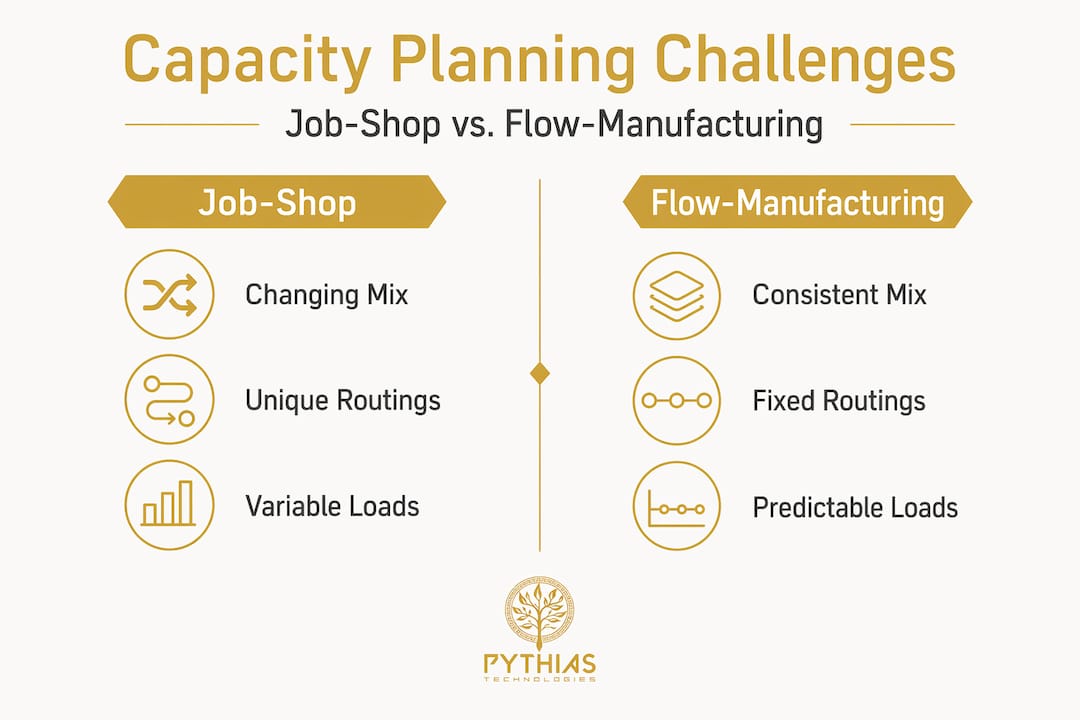
Capacity planning in print compares the work needed (measured in machine hours and labor hours) against available resources to identify overloads and underloads before they become delivery failures. This sounds straightforward. But print is harder than most manufacturing environments because of what the industry calls high-mix, low-volume production. Every job has a unique routing: one order might go press, then bindery, then finishing; another skips bindery entirely. Changeovers between jobs are frequent, and setup times vary by substrate, ink type, and equipment configuration.
Here is what capacity actually consists of in a print shop:
- Machine hours: The total scheduled run time available per press, cutter, laminator, or embroidery machine per shift
- Labor hours: The operator time required to run, set up, and maintain each work center
- Available vs. productive hours: A press running one shift provides 8 hours of available time, but after accounting for setups, maintenance, and non-run activities, productive time drops to 70%–80% of that figure
- Utilization rate: The ratio of actual productive output hours to total available hours, a critical number for pricing and scheduling
- Bottleneck work centers: Any station where demand regularly exceeds supply, slowing the entire shop floor
The reason job-shop capacity planning is harder than flow manufacturing is constant mix changes and unique routings. A widget factory runs the same product repeatedly. A print shop runs hundreds of different jobs per week, each with its own press settings, paper stock, and finishing requirements. That variability is what makes disciplined capacity management so critical.
The layered approach to capacity planning
Experienced print shop managers do not try to solve capacity in a single step. The most reliable method builds from high-level feasibility checks down to machine-level schedules. Think of it as zooming in progressively until you have an executable plan.
-
Rough-cut capacity planning (RCCP). This is your first filter. RCCP compares your master schedule against available hours at key work centers to catch infeasibility early, before any detailed scheduling work is done. If your master schedule shows 180 press-hours needed next week and your presses can deliver 140, RCCP surfaces that gap immediately. You can then adjust before committing to customers.
-
Capacity requirements planning (CRP). CRP goes one level deeper, validating capacity at each individual work center based on actual job routings and run times. Where RCCP works with aggregate estimates, CRP uses detailed bills of materials and routing data. This step catches secondary bottlenecks that RCCP might miss, like a bindery that looks fine on aggregate but is overloaded on Tuesday morning.
-
Finite capacity scheduling. This is where plans become executable. Finite scheduling enforces real machine constraints, assigning specific start and finish times to each job at each work center while accounting for sequence-dependent setup times. A print-focused Gantt view lets your scheduler see press, bindery, and finishing simultaneously, and spot conflicts before they cause late orders.
-
Rolling replanning. No plan survives contact with Monday morning. Rush orders arrive, machines go down, and customer priorities shift. Rolling replanning means you revisit and refresh the schedule on a regular cadence, daily or weekly, so the plan stays grounded in current reality rather than last week’s assumptions.
The biggest value of starting with RCCP is catching infeasibility early. Every hour you spend on detailed scheduling against an impossible master plan is wasted effort. Fix the high-level problem first, then invest in the detail.
Real-world metrics and examples
Numbers make capacity planning concrete. Here is a reference table showing how key metrics behave at a well-run mid-sized print shop versus a shop operating without formal capacity management:
| Metric | Unmanaged shop | Capacity-planned shop |
|---|---|---|
| Press utilization rate | 55%–65% | 75%–82% |
| On-time delivery rate | 70%–78% | 90%–95% |
| WIP queue at bottleneck | Uncontrolled | Capped and monitored |
| Rush order response time | Reactive, days | Planned, hours |
| Overtime frequency | Chronic | Scheduled and predictable |
The Federal Reserve tracks printing sector performance, and industry utilization sits around 71% for nondurable goods printing activities. If your shop is running significantly below that figure, the problem is almost certainly workflow discipline rather than a lack of orders or equipment.
One of the most instructive examples in the industry comes from Northwest Fine Art Printing. By adding pre-flight checks and capping work-in-progress at the bottleneck press, the shop recovered 35% more throughput in a single week without purchasing a single new machine. The constraint was not equipment. It was uncontrolled input flooding the shop floor and creating congestion everywhere at once.

The lesson is direct: ignoring WIP and upstream gating causes capacity plans to fail. Controlling flow at the bottleneck unlocks output that already exists in your current assets.
Pro Tip: Track make-ready time separately from run time on your press reports. Hidden inefficiencies in setup often account for 15%–25% of lost capacity. Measuring it is the prerequisite to reducing it.
Common pitfalls that derail capacity planning in print shops include assuming 100% utilization is achievable, ignoring the variability of job mix, and failing to account for the downstream effects of upstream queue decisions. Each of these errors compounds. A plan built on 100% utilization assumptions will miss targets consistently, eroding customer trust and forcing chronic overtime.
Strategies for resolving capacity overloads
Once RCCP or CRP surfaces an overload, you have a defined set of responses. The goal is choosing the right one based on lead time, cost, and customer relationship.
- Shift work between machines: If a digital press is overloaded and an offset press has capacity, rerouting eligible jobs keeps throughput moving without adding cost.
- Adjust job priorities: Not every job has the same margin or customer priority. Re-sequencing the queue to protect high-value or high-margin orders is a legitimate and often underused tactic.
- Schedule overtime selectively: Planned overtime for a known peak is far less costly than unplanned overtime driven by crisis. Capacity planning gives you the lead time to schedule it properly.
- Outsource to trade printers: Selective outsourcing of commodity work during peak periods preserves your equipment for proprietary or high-margin jobs.
- Renegotiate due dates: When a customer’s job is genuinely lower priority and capacity is tight, proactive communication about adjusted delivery is far better than a silent miss.
- Maintain buffer capacity: Build in 10%–15% buffer against your stated capacity ceiling. This absorbs variability from machine downtime, spoilage, and rush orders without derailing the plan.
Capacity planning also directly improves your quoting process. When you know your current load and realistic utilization, you can price jobs accurately and commit to delivery dates with confidence rather than optimism. That credibility compounds over time into customer retention.
Pro Tip: Run a scenario analysis before your busiest seasonal periods. Model what happens to your schedule if volume increases 20% above forecast. Identify overloads in advance and pre-arrange overflow options with trade partners before the rush hits.
Technology tools that support capacity planning
Manual spreadsheet-based capacity planning breaks down quickly in shops running more than 50 jobs per week. The complexity of multi-stage routings, sequence-dependent setups, and real-time order changes demands software built for the task.
Key features to look for in capacity planning and scheduling tools for print shops:
- Print MIS integration: Your management information system holds job data, routing specs, and run times. Software that integrates with print MIS automates the translation of order data into capacity loads without manual re-entry.
- Finite scheduling engine: Unlike infinite scheduling (which ignores real constraints), a finite engine books work only into available slots, generating realistic start and finish times at each work center.
- Gantt chart visualization: A multi-stage Gantt view lets schedulers see press, bindery, and finishing workloads simultaneously, spotting conflicts before they cause delivery failures.
- Real-time queue management: When a rush order arrives or a machine goes down, the system re-optimizes the queue automatically rather than requiring a manual rebuild of the schedule.
- Automated alerts: Threshold-based alerts notify managers when utilization at a specific work center exceeds a defined ceiling, triggering review before an overload becomes a crisis.
Workflow automation tools designed for small and mid-sized businesses can complement print MIS platforms, particularly for back-office tasks like order intake, customer notifications, and reporting. The goal is to remove manual handoffs that slow the planning cycle. Platforms that connect inventory management data with production scheduling also eliminate a common gap: running a job to completion only to discover a substrate is out of stock mid-run.
My perspective on capacity planning that most shops ignore
I have seen print shops with excellent equipment and skilled operators consistently underperform because they treat capacity as something to discover after the fact rather than manage in advance. The shops that grow sustainably are the ones that build a planning discipline before they feel the pressure to do so.
In my experience, the single most common mistake is using 100% of theoretical capacity as the baseline for quoting and scheduling. It feels like leaving money on the table to plan around 75%. In reality, planning around 75% and delivering reliably is worth far more than planning around 100% and missing dates. Customers pay for certainty, not optimism.
What I have also found is that small workflow discipline changes produce outsized results. Capping WIP at the bottleneck, adding a pre-flight check before jobs enter the press queue, and running a 15-minute daily schedule review can unlock capacity that was always there but invisible. You do not need new equipment to produce more output. You need to see where the current output is being lost.
The other thing I would push back on is the idea that capacity planning is a one-time exercise. Print shops change constantly. New equipment, new product lines, seasonal demand swings, and staff changes all alter your capacity picture. A rolling review cadence, even monthly, keeps your plan grounded in current reality and prevents the gradual drift back to firefighting mode.
— Michael
How Pythiastechnologies helps you plan and execute

Pythiastechnologies is built specifically for print-on-demand operations that need more than a manual schedule. The platform connects design and product management, inventory control, and production queue management in a single interface. Real-time queue visibility means your schedulers always see current workload at every stage, from DTF printing to embroidery finishing, without chasing data across disconnected systems.
The Pythiastechnologies platform supports smarter quoting by surfacing real-time capacity data before you commit to a delivery date. Inventory alerts prevent mid-job stockouts. Marketplace integrations keep order intake flowing without manual re-entry. For shops ready to move from reactive scheduling to proactive capacity management, exploring the full platform features is a practical first step.
FAQ
What is print shop capacity planning in simple terms?
Capacity planning in a print shop is the process of comparing how many machine and labor hours your jobs require against how many hours your shop can realistically deliver. It identifies overloads and underloads before they cause missed deadlines.
What is a realistic utilization rate for a print shop?
Most print shops should plan around 70%–80% utilization of available machine hours to account for setups, maintenance, and variability. The Federal Reserve reports the printing sector averages around 71% utilization.
What is the difference between RCCP and finite capacity scheduling?
RCCP is a high-level feasibility check that compares aggregate workload against available hours at key work centers. Finite capacity scheduling is a detailed, machine-level plan that assigns specific start and finish times while enforcing real equipment constraints.
How can a print shop increase capacity without buying new equipment?
Controlling work-in-progress at bottleneck work centers and adding pre-flight checks before jobs enter the queue can recover significant throughput from existing assets. One documented case recovered 35% more output in one week using these methods alone.
How often should a print shop review its capacity plan?
A daily or weekly rolling review keeps the plan current. At minimum, a formal monthly review should assess changes in equipment availability, staffing, and order mix to prevent gradual drift back toward unmanaged scheduling.