
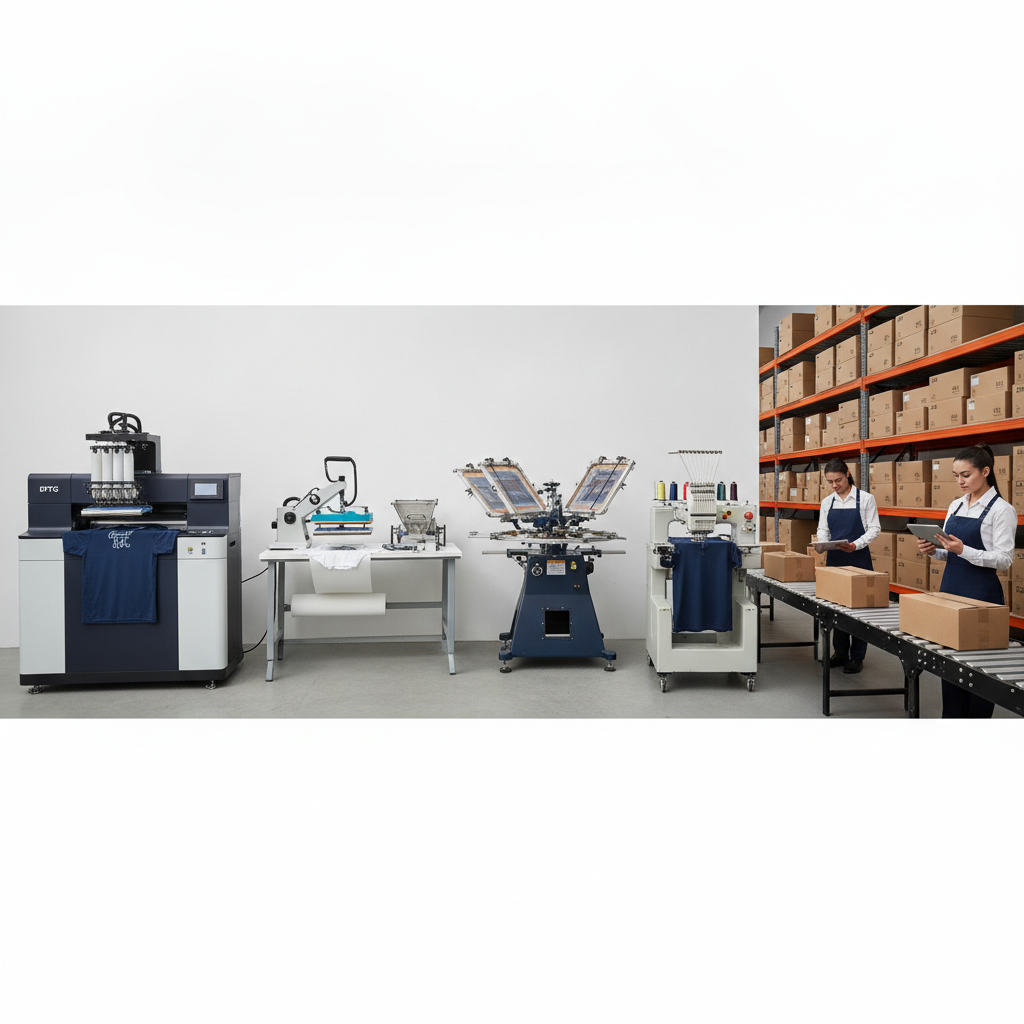
Rejected orders are expensive. A file that's the wrong resolution, the wrong color space, or missing a transparent background doesn't just slow one job — it clogs the queue, delays the customer, and forces your team to chase down a corrected artwork file. The good news is that most rejections are preventable. Each print method has predictable, well-understood file requirements, and once you build your intake around them, the friction largely disappears.
This guide breaks down the file specs, resolution, and color profiles that DTF, DTG, sublimation, and embroidery production typically expect, plus how routing art to the right queue keeps everything clean.
Why print files get rejected
Most production rejections trace back to a handful of recurring problems: low-resolution raster art that pixelates when scaled, images saved in the wrong color profile so colors shift on press, missing transparency that prints a white box around the design, or vector files that aren't outlined. None of these are exotic. They're just easy to miss when artwork comes in from many sellers across many channels.
The fix is twofold. First, know the correct spec for each print method. Second, route every order into the right production lane so the file is handled by the rules that method needs. Pythias maintains dedicated production queues for DTF, DTG, embroidery, and sublimation, each with its own routing rules and print-ready file handling, so a sublimation order never ends up evaluated against embroidery requirements.
DTF (Direct-to-Film) file specs
DTF prints onto a film that's then heat-pressed onto the garment, which makes it forgiving on fabric type but demanding on edge quality and transparency.
- Format: PNG with a transparent background is the standard. Vector (SVG/PDF) is excellent when available because it scales cleanly.
- Resolution: 300 DPI at the final printed size. A design measured at 12 inches wide should be built at that size and resolution, not scaled up from a small file.
- Color profile: Convert to CMYK before output, since DTF prints with CMYK inks plus a white underbase. Designs built in RGB can look vivid on screen and shift on press.
- Transparency and edges: The background must be truly transparent. Soft, anti-aliased edges and feathered shadows can create thin, ragged film edges, so clean, intentional edges print best.
DTG (Direct-to-Garment) file specs
DTG prints ink directly into the fabric, so the file controls everything about how the image lands on the shirt.
- Format: PNG with transparency for most designs. The transparent background lets the printer lay down ink only where the artwork exists.
- Resolution: 300 DPI at full print size. Because DTG reproduces fine detail well, low-resolution files show their flaws clearly.
- Color profile: RGB is commonly accepted because many DTG RIP software systems convert internally, but confirm the expectation for your setup. Consistency matters more than the specific space — pick one and apply it across every file.
- Dark vs. light garments: Prints on dark garments use a white underbase, so designs that include near-white elements need a deliberate plan or those areas can look muddy.
Sublimation file specs
Sublimation dyes the fabric itself, which only works on polyester and light-colored substrates. It produces vibrant, edge-to-edge results when the file is right.
- Format: High-resolution PNG, TIFF, or vector for all-over and panel prints.
- Resolution: 300 DPI at full size, including any bleed. All-over prints are large, so the source art must be genuinely high resolution, not upscaled.
- Color profile: Sublimation has its own ICC profiles, and printed colors differ from screen because of how dye gas bonds to fabric. Build in the color space your RIP expects and rely on press-tested swatches rather than the monitor.
- Bleed: Add bleed past the cut or seam lines so there are no unprinted white edges after sewing or trimming.
Embroidery file requirements
Embroidery isn't printed at all — it's stitched — so it doesn't use DPI or color profiles the way print methods do. It needs a digitized stitch file.
- Format: A machine embroidery file such as DST, plus the original art for reference.
- Digitizing: Raster or vector art must be converted into stitch paths, with decisions about stitch type, density, and underlay. This is a craft step, not an export setting.
- Thread colors: Designs map to physical thread colors, so subtle gradients and tiny text don't translate. Simplify fine detail before digitizing.
- Size and stitch count: Embroidery has practical limits on detail at small sizes; left-chest logos in particular need clean, bold shapes.
Build intake that prevents rejections
Knowing the specs is half the battle. The other half is making sure every order — no matter which channel it came from — carries the right file into the right lane. When you're selling across many marketplaces, that's where things break down, because each platform handles artwork and order data differently.
Pythias connects to 18+ marketplaces plus 200+ more channels and flows orders from every connected channel into one unified production queue. Because the platform separates DTF, DTG, embroidery, and sublimation into their own queues with print-ready file handling, each job is processed under the rules its method requires. Tracking is then confirmed back to each marketplace automatically, so a clean intake carries through to a clean handoff.
If your bottleneck is order volume rather than artwork, strong order management and inventory tracking by blank, color, and size keep the right garment ready when a print-ready file arrives. For screen-printing-focused operations, Pythias also offers software built for screen printing shops.
If you're tightening up your production pipeline, see how Pythias handles print-on-demand fulfillment end to end, or book a demo to walk through routing for your print methods. Most shops are fully live within about two weeks.
A quick pre-flight checklist
- Confirm the print method and route the file to its matching queue.
- Check resolution at the final printed size — 300 DPI for DTF, DTG, and sublimation.
- Verify the color profile (CMYK for DTF, your RIP's expectation for DTG and sublimation).
- Confirm transparency for PNG-based methods and bleed for sublimation.
- For embroidery, confirm a digitized stitch file and simplify fine detail.