

What Is Order Tracking for Printers: A Shop Owner’s Guide
Order tracking for printers is the process of monitoring a print job through every stage of its lifecycle, from order placement and production through quality control, packaging, shipping, and final delivery. In the printing industry, this practice is formally called order fulfillment tracking or print order management, and it relies on technologies like barcode label printers, carrier APIs, and order management systems to generate real-time status updates for both operators and customers. Print shops that implement structured printer order tracking reduce manual follow-ups, cut customer service inquiries, and gain the workflow visibility needed to scale production without losing accuracy.
What is order tracking for printers and how does it work?
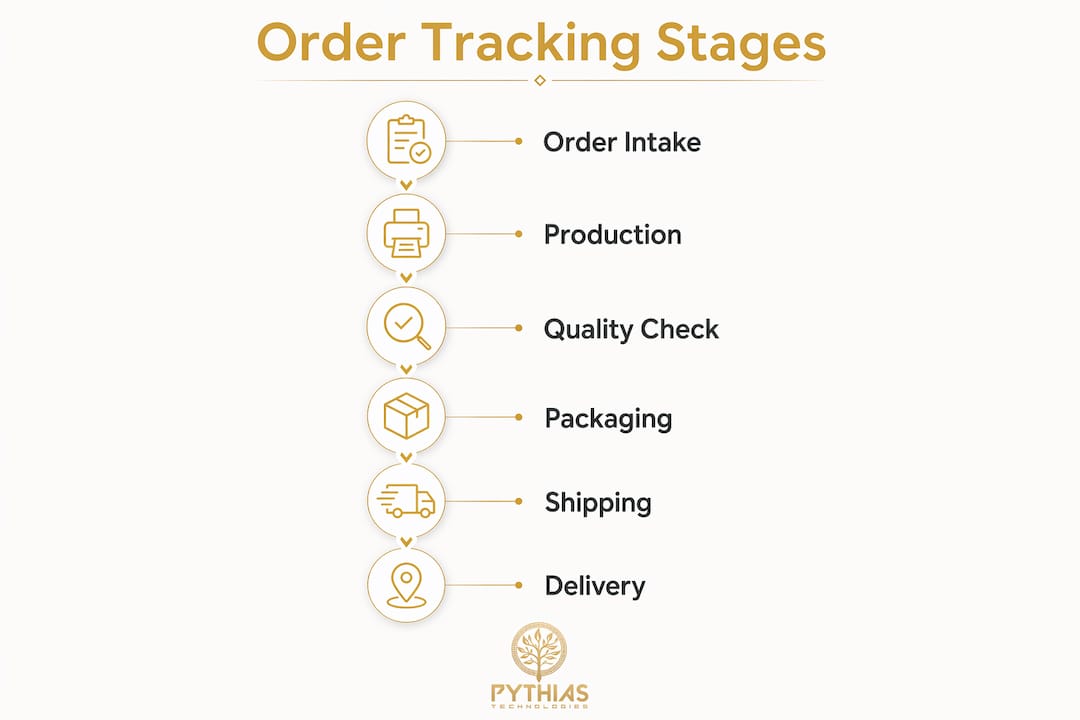
Order tracking in the printing industry covers the full lifecycle from order receipt through production, quality control, packaging, shipping, and delivery. That scope is broader than most shop owners initially expect. It is not just about knowing where a package is in transit. It is about knowing where a job is at every internal stage before it ever reaches a carrier.
The process begins the moment an order enters your system. Each job receives a unique internal order ID, which acts as the anchor for all subsequent status updates. As the job moves through your production floor, that ID connects to batch identifiers, press queue positions, and inspection records. Once the job ships, the internal ID links to a carrier tracking number, creating a single, continuous record from artwork approval to doorstep delivery.
This architecture matters because linking internal jobs and shipping labels to carrier tracking numbers is what makes tracking reliable rather than fragmented. Without that linkage, your team is managing two separate systems: one for production status and one for shipping status. Customers end up confused, and staff spend time manually reconciling data that a connected system would handle automatically.
Pro Tip: Assign order IDs at intake, not at shipment. Shops that generate IDs only when a label prints lose all internal production visibility and cannot report accurate status to customers during the production phase.
How the order fulfillment lifecycle maps to tracking stages
Understanding the standard fulfillment steps helps you design a tracking system that reflects reality rather than a simplified version of it. A typical print order moves through these stages:
- Order received — The order enters your management system with a unique ID and customer details.
- Pre-production — Artwork is reviewed, approved, and queued for printing.
- Production — The job runs on press, whether DTG, DTF, screen printing, or embroidery.
- Quality control — Finished pieces are inspected against specifications.
- Packaging — Items are folded, bagged, or boxed and prepared for shipment.
- Label generation — A barcode shipping label is printed and scanned, linking the internal order ID to a carrier tracking number.
- Carrier pickup — The carrier scans the package, and the tracking number becomes active.
- In transit and delivery — The carrier provides status updates through its tracking API until the package is delivered.
Each of these stages is a discrete status that your system should record and, where appropriate, communicate to the customer. Automated platforms update production status and inspection data in a unified order tracker, removing the need for staff to manually log each transition. That automation is the difference between a tracking system and a tracking record.
Technologies that enable real-time printer order tracking
Three core technologies power accurate order tracking in print shops: barcode label printers, carrier API integrations, and centralized order management software.
Barcode label printers
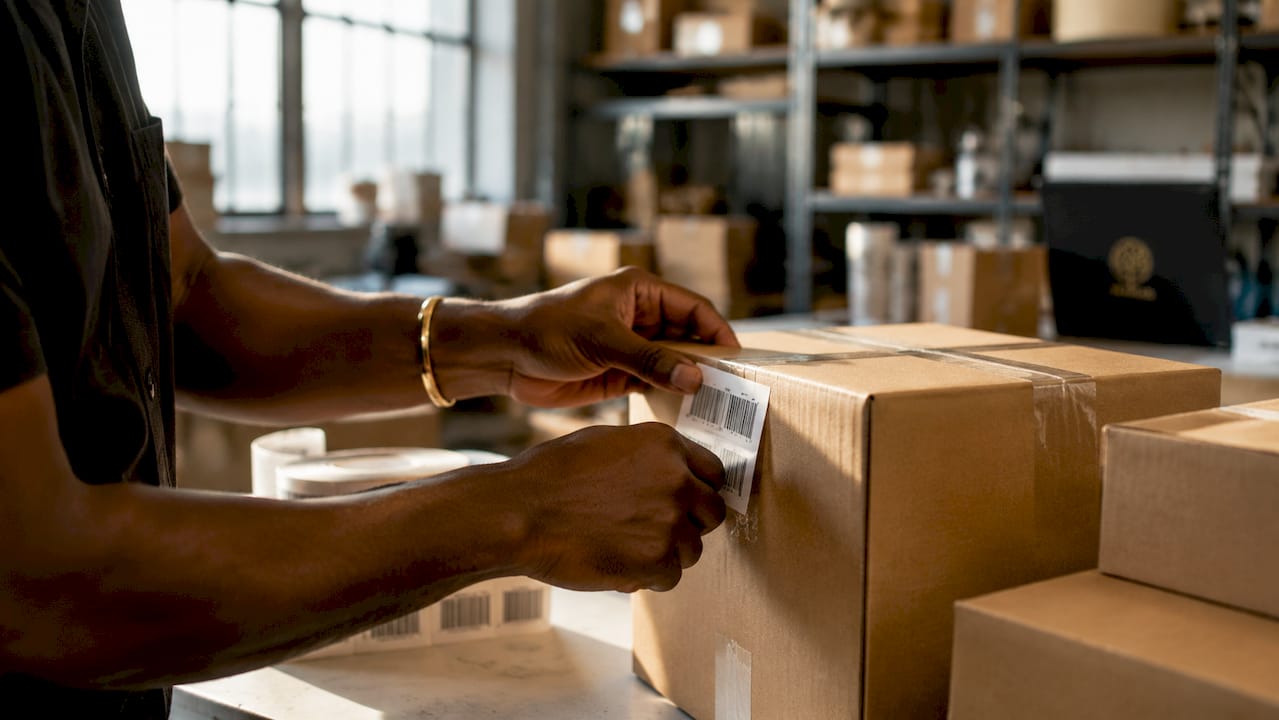
Barcode label printers generate scannable identifiers linked directly to orders, enabling real-time tracking and inventory management across the production floor. When a job enters production, a barcode label ties the physical item to its digital record. Every scan at every station updates the order status automatically. Devices like Rollo’s wireless barcode printer are common in smaller shops for their low cost and direct integration with shipping platforms.
Carrier API integrations: webhooks vs. polling
Once a package leaves your facility, tracking depends on carrier API integrations. There are two approaches: polling and webhooks.
| Method | How it works | Update speed | Server load |
|---|---|---|---|
| Polling | Your system queries the carrier API on a set interval | Delayed by interval timing | High — many redundant requests |
| Webhooks | Carrier pushes a status update to your system when an event occurs | Near-instant | Low — updates only on change |
Webhooks push updates only on tracking changes, reducing redundant queries and delivering faster status visibility. For a print shop processing dozens or hundreds of shipments daily, the difference in server load and update latency is significant. Carrier webhooks from providers like UPS, FedEx, and USPS use status codes for shipment phases such as Booked, Picked Up, In Transit, Out For Delivery, and Delivered. Modeling these as discrete state transitions prevents errors when events arrive out of sequence.
Order management systems
Centralized order management software ties barcode scanning, production stages, and carrier tracking into one dashboard. Platforms like Pythias Fulfillment Cloud connect your production floor to shipping carriers and customer-facing status pages, so every stakeholder sees the same data without manual reconciliation. This is the layer that transforms raw scan events and API payloads into readable order status updates.
Pro Tip: When evaluating order management platforms, check whether they support webhook-based carrier integrations rather than polling. Polling-based systems introduce update delays that frustrate customers and create inaccurate status displays during peak shipping periods.
Benefits of order tracking for print shops and their customers
Implementing a structured tracking system delivers measurable advantages on both sides of the transaction.
Operational benefits for print shops:
- Fewer manual status checks. Staff no longer need to walk the floor or call carriers to answer customer questions.
- Faster error detection. When a job stalls at a specific stage, the system flags it immediately rather than letting it sit unnoticed.
- Better production scheduling. Visibility into queue positions and stage completion times allows managers to allocate resources more accurately.
- Reduced shipping errors. Barcode scanning at packaging confirms the right item is in the right box before the label is applied.
- Audit trail for disputes. A complete status history with timestamps provides documentation when a customer claims an order was never received.
Customer-facing benefits:
- Transparent, automated updates reduce “where is my order?” inquiries, which are among the highest-volume support tickets for any fulfillment operation.
- Estimated delivery times set accurate expectations and reduce anxiety for customers waiting on time-sensitive orders like event merchandise or branded apparel.
- Self-service tracking pages let customers check status without contacting support, freeing your team for higher-value tasks.
- Proactive delay notifications build trust. Customers who receive an update before they notice a delay are far more forgiving than those who discover it themselves.
For DTG and DTF shops selling through Shopify, Etsy, or Amazon, real-time job status directly affects marketplace ratings and repeat purchase rates. Platforms that surface tracking data automatically to marketplace order pages remove a manual step that many shops currently handle through copy-paste or spreadsheet updates.
Best practices for optimizing order tracking in your print shop
Getting the technology in place is only half the work. How you configure and operate your tracking system determines whether it actually reduces friction or creates new problems.
- Separate tracking readiness from tracking visibility. Show tracking information to customers only after a shipping label has been generated and the carrier has activated the tracking number. Displaying a tracking number before the carrier has scanned the package generates customer confusion when the link shows no activity.
- Combine internal and external status in one record. A unified order record that includes both production stage history and carrier events gives your team a complete picture without switching between systems. This is the architecture that platforms like Pythias Fulfillment Cloud are built around.
- Design for out-of-order events. Carrier events can arrive out of sequence due to network delays or carrier system quirks. Your tracking logic should treat the carrier as the authoritative source and reconcile inconsistent event sequences rather than displaying them as-is. A “Delivered” event followed by an “Out For Delivery” event should not flip your status back to in transit.
- Audit your barcode scanning process regularly. A missed scan at any stage breaks the tracking chain. Spot-check scan rates by station weekly and address gaps before they become systemic.
- Use dashboards and alerts to keep staff informed. A tracking system that only surfaces data on demand misses its operational potential. Configure alerts for jobs that have not advanced past a stage within expected timeframes, and use production dashboards to give floor managers real-time queue visibility.
Pro Tip: Build a fulfillment checklist that includes a mandatory scan confirmation before any package leaves your facility. Shops that add this single step report a significant drop in “lost” shipments that were actually never scanned into the carrier system.
You can also review fulfillment center features to compare before committing to a platform, particularly around how each system handles tracking integration and status synchronization.
Key takeaways
Effective printer order tracking requires linking internal production stages to carrier shipping data in a single, automated system that updates status in real time.
| Point | Details |
|---|---|
| Define the full lifecycle | Order tracking covers production, QC, packaging, and shipping, not just carrier transit. |
| Link IDs at every stage | Connect internal order IDs, batch identifiers, and carrier tracking numbers for complete visibility. |
| Use webhooks over polling | Webhook-based carrier integrations deliver faster updates with lower server load than polling. |
| Separate readiness from visibility | Show customers tracking data only after the carrier activates the tracking number to avoid confusion. |
| Automate status updates | Platforms like Pythias Fulfillment Cloud remove manual status logging and reduce errors across the workflow. |
Why order tracking is the operational foundation print shops overlook
I have worked with print shop operators at every scale, from single-press DTG setups to multi-site fulfillment operations running thousands of orders per day. The pattern I see most consistently is this: shops invest heavily in printing equipment and almost nothing in tracking infrastructure, then wonder why customer service costs keep climbing as volume grows.
Order tracking is not a customer service feature. It is a production management tool that happens to have a customer-facing output. When you can see exactly where every job is at every moment, you stop managing by exception and start managing by data. You catch the job that stalled in QC before the customer notices. You identify the press operator who consistently misses scans. You see which carrier routes generate the most delivery exceptions and adjust your shipping choices accordingly.
The shops I have seen scale most successfully treat their DTG order management system as a production intelligence platform, not just a place to log orders. They use tracking data to improve scheduling, reduce reprints, and negotiate better carrier rates based on actual volume and performance history. That shift in perspective, from tracking as a customer service tool to tracking as an operational data source, is what separates shops that grow from shops that plateau.
If you are still updating order statuses manually or relying on staff to copy tracking numbers into customer emails, you are not running a tracking system. You are running a delay notification service. The technology to fix that is available, affordable, and not particularly complex to implement. The barrier is almost always prioritization, not capability.
— Michael Thero
How Pythias Technologies supports print shop order tracking
Pythias Technologies builds the infrastructure that connects every stage of print fulfillment into a single, automated workflow. Pythias Fulfillment Cloud handles barcode label generation, production stage tracking, shipping label creation, and carrier integration in one platform, so your team stops switching between systems to answer a single status question. Pythias Commerce Cloud synchronizes orders from Shopify, Etsy, Amazon, Walmart, TikTok Shop, and other channels into the same fulfillment pipeline, giving multi-channel sellers unified order visibility without manual imports. If you are ready to replace manual tracking with automated, real-time order management, explore the full print shop automation platform and book a demo to see how it fits your operation.
FAQ
What does order tracking cover in a print shop?
Order tracking in a print shop covers the full fulfillment lifecycle: order receipt, production, quality control, packaging, shipping, and delivery. It is not limited to carrier transit status.
How do barcode label printers improve tracking accuracy?
Barcode label printers generate scannable identifiers tied to each order, so every scan at every production stage automatically updates the order status without manual data entry.
What is the difference between webhook and polling for shipment tracking?
Webhooks push status updates to your system the moment a carrier event occurs, while polling queries the carrier API on a fixed schedule. Webhooks deliver faster updates and generate far less server load, making them the preferred method for high-volume print shops.
When should customers see a tracking number?
Customers should see a tracking number only after the carrier has activated it, typically after the first carrier scan. Displaying a tracking number before carrier activation causes confusion when the link shows no data.
Can order tracking reduce customer service inquiries?
Yes. Transparent, automated order status updates directly reduce “where is my order?” inquiries, which are among the most common and time-consuming support tickets for fulfillment operations.
Recommended
- DTG Printing Order Management for Print Shops in 2026 | Pythias Technologies | Pythias Technologies
- Pythias Fulfillment Cloud — The Production OS for Print Shops | Pythias Technologies
- Print Shop Quoting Software: What Owners Must Know | Pythias Technologies
- How Production Reporting Works in Print Shops | Pythias Technologies