
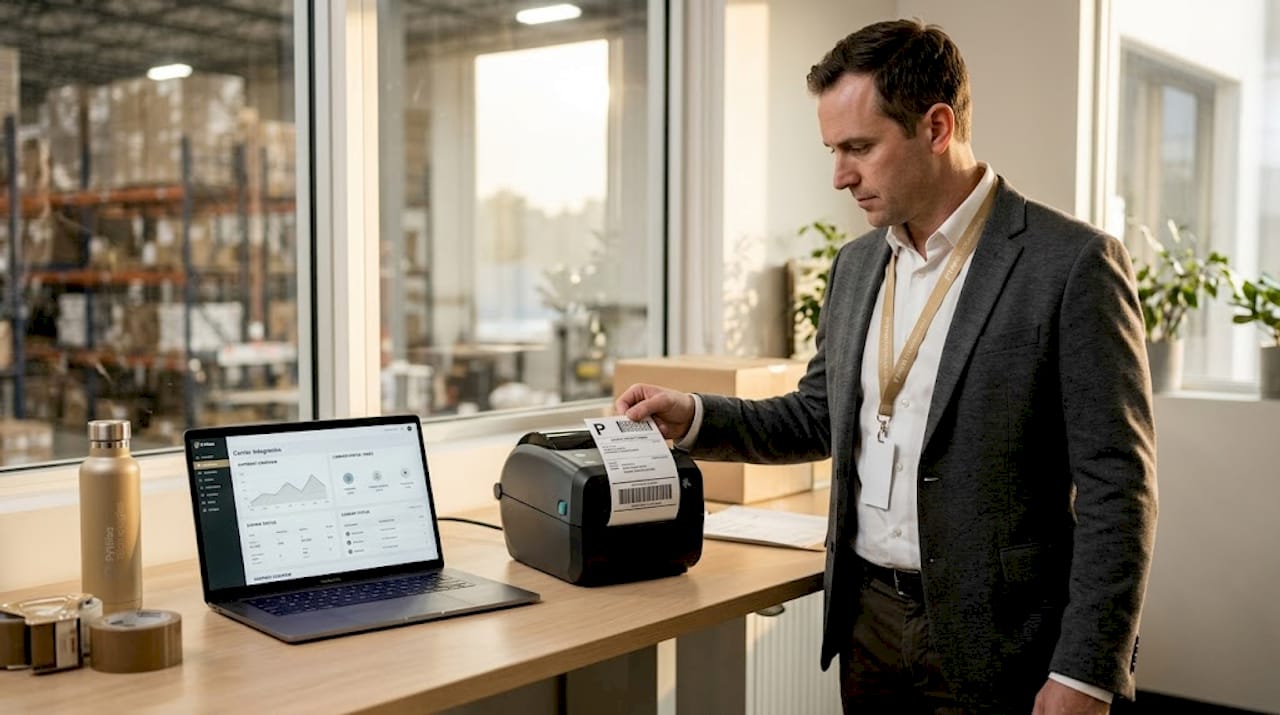
Every print on demand operation that still generates shipping labels manually is leaving money on the table. The role of shipping carrier integration printing goes far beyond convenience. It directly determines how fast orders ship, how often labels contain errors, and whether your fulfillment can scale when order volume spikes. Automated shipping carrier integration can save high-volume operations 25 hours of labor per day by eliminating the manual steps that slow your production queue and frustrate your customers.
Table of Contents
- Key takeaways
- Role of shipping carrier integration printing: how it works
- Benefits of carrier integration for POD operations
- Technical setup and best practices
- Common challenges in print logistics solutions
- Real-world applications and measurable impact
- My take on integration and POD scalability
- How Pythiastechnologies supports your carrier integration
- FAQ
Key takeaways
| Point | Details |
|---|---|
| Integration automates label generation | Carrier integration pulls order data and generates labels instantly, removing manual entry from the process. |
| Error reduction protects delivery rates | Automated address validation and label accuracy checks reduce failed deliveries and costly returns. |
| Batch printing scales with order volume | Bulk label printing handles peak spikes without adding staff or slowing fulfillment throughput. |
| Business rules optimize carrier selection | Configuring rules by order value and destination balances cost against delivery reliability automatically. |
| Middleware simplifies carrier management | Centralizing carrier credentials in one platform prevents credential sprawl across multiple systems. |
Role of shipping carrier integration printing: how it works
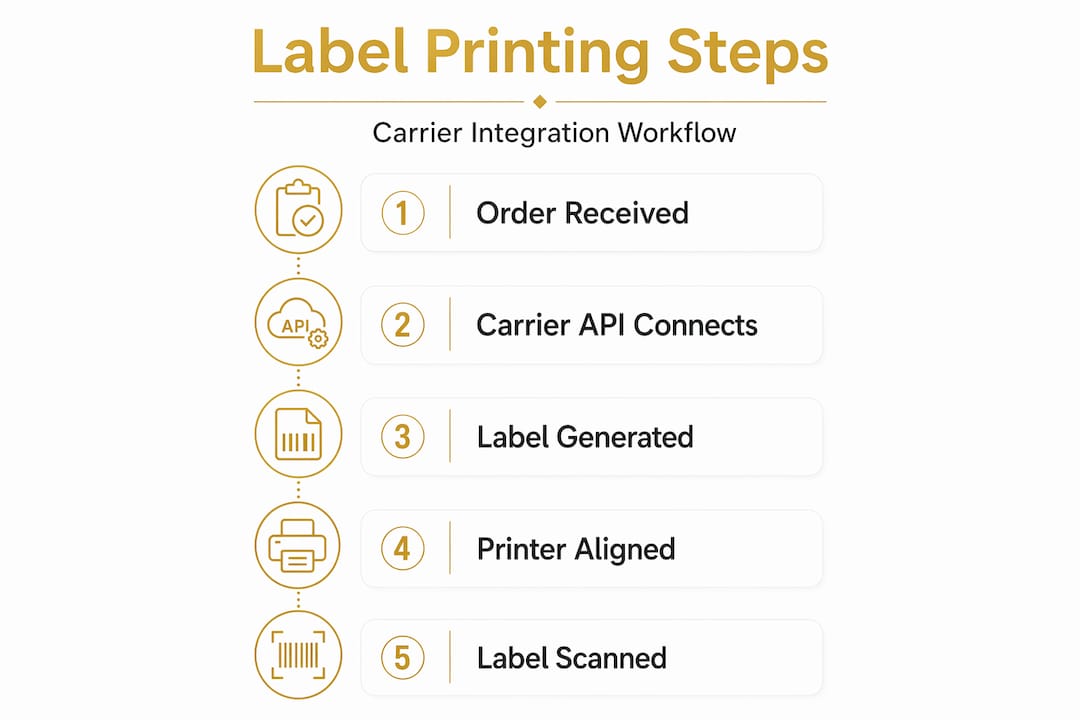
At its core, shipping carrier integration connects your print on demand platform directly to carrier APIs. When an order is placed, the integration pulls relevant data including recipient address, package weight, dimensions, and service type, then sends that data to the carrier to generate a validated shipping label instantly.
This replaces a manual workflow where a staff member copies order details into a carrier portal, selects a service, downloads a label, and prints it. That process takes roughly 90 seconds per order. At 500 orders a day, that adds up to over 12 hours of pure manual labor, and that is before accounting for mistakes.
The automated shipping print solutions built into modern POD platforms go further than single-label generation. They support:
- Batch printing: Generate and print hundreds of labels in a single queue action, timed to align with production completion
- Multi-carrier support: Connect to UPS, FedEx, USPS, and regional carriers from one interface without switching portals
- Thermal printer routing: Send ZPL or EPL formatted labels directly to thermal printers for high-resolution output suited to carrier barcode scanning
- Tracking sync: Push tracking numbers back to your order management system and storefront automatically after label generation
- Error flagging: Catch invalid addresses or missing fields before a label is generated, not after a package is returned
The printer type matters more than most managers realize. Thermal printers output labels at 203 or 300 DPI, which aligns with carrier barcode scan requirements. Standard inkjet or laser printers can produce readable labels, but inconsistent print quality under high volume creates scan failures at carrier facilities. For high-volume POD operations, thermal printing with direct carrier API integration is the standard.
Pro Tip: Test your label output at your highest expected daily volume before going live. A label that scans perfectly in a batch of 20 may fail in a batch of 500 if printer memory or spooler settings are not configured for bulk throughput.
Benefits of carrier integration for POD operations
The operational gains from full carrier integration compound quickly. Here is how they break down in practice:
- Labor reduction: Automating the shipping label printing process removes repetitive manual steps that add no value. Staff can be redirected to quality control, production, or customer service.
- Error reduction: Manual data entry produces typos and address mismatches. Integration pulls directly from verified order data, cutting the error rate significantly and reducing delivery failures.
- Real-time rate shopping: Integration with multiple carriers lets your system compare rates at the moment of shipping and select the best option automatically, saving money on every order without manual checking.
- Faster fulfillment cycles: Labels are ready the moment production completes. No waiting for a staff member to process shipping. Orders move from print queue to carrier pickup without delay.
- Tracking automation: Automated notifications and tracking updates go to customers without any manual trigger, improving satisfaction and reducing “where is my order” inquiries.
- Scalability: When order volume doubles during a seasonal spike, your shipping output scales with it. Batch printing and automated label generation handle the surge without hiring temporary staff.
The cost savings extend beyond labor. Fewer delivery errors mean fewer reships. Fewer reships mean lower material costs, lower carrier costs, and fewer refunds. For a POD operation running 1,000 orders a day, even a 2% reduction in shipping errors represents a measurable monthly saving.
Real-time rate shopping also has a precision component that manual rate checking cannot match. Integration with shipping providers allows your system to factor in dimensional weight, delivery zone, and service guarantee simultaneously, giving you the most cost-effective option at the exact moment of label generation.
Technical setup and best practices
Getting carrier integration right requires attention to several technical factors that are easy to overlook during setup.
Label resolution and API spec matching
Matching printer DPI to carrier label API requirements is a frequent failure point. Carriers specify minimum resolution standards for barcode scannability. If your thermal printer is configured at 203 DPI but the carrier API returns a 300 DPI label image, the output may be unreadable at scan points. Confirm your printer’s native resolution and match it to the label format your carrier returns before processing live orders.
Middleware and credential management
Centralizing carrier credentials in a middleware platform prevents the credential sprawl that occurs when each system in your stack maintains its own carrier connection. A middleware hub gives you a single point to update API keys, manage rate agreements, and audit carrier access. When a carrier updates its API, you update one system, not five.
Printer routing for multiple locations
Multi-location fulfillment routing assigns label generation to the correct printer at the correct fulfillment site automatically. A customer order fulfilled from your East Coast warehouse should trigger label generation at that site, not require manual assignment. Configure printer routing rules based on fulfillment location, order origin, and product type.

Business rules for carrier selection
| Scenario | Recommended rule |
|---|---|
| Order value over $150 | Upgrade to trackable, guaranteed delivery service regardless of cost |
| Destination in rural zone | Route to carrier with strongest rural network |
| Standard order under $50 | Select lowest cost carrier meeting standard transit time |
| Expedited request | Select carrier with guaranteed next-day or two-day transit |
Pro Tip: Encode a rule that automatically selects a more reliable carrier for high-value orders above a set threshold. Saving $1.50 on a $200 order is not worth the satisfaction risk if the shipment is delayed.
Address validation should run before label generation, not after. Build validation into the order intake flow so bad addresses are flagged and corrected before they reach the shipping queue.
Common challenges in print logistics solutions
Implementing shipping carrier integration printing is not without friction. These are the most common obstacles POD operations face and how to address them.
- Fragmented carrier APIs: Each carrier has its own API format, authentication method, and label spec. Managing direct integrations with four or five carriers independently creates maintenance overhead. Use a middleware layer or a platform that abstracts carrier differences behind a unified interface.
- Peak volume instability: Label generation systems that perform well at 200 orders a day can degrade under 2,000. Bulk printing for peak volume spikes requires pre-tested queue management and printer spooler capacity. Load test your setup before Q4 or a major promotion.
- Platform compatibility gaps: Not every e-commerce platform or order management system exposes the data fields that carrier APIs need. Gaps in address formatting, package dimension handling, or product weight data create label generation failures. Audit your data schema before integration.
- Siloed systems: Disconnected parcel management creates operational silos that reduce visibility across orders, production, and shipping. Integrating carrier printing directly into your production queue management removes the handoff delay between print completion and label generation.
- API standard inconsistency: Industry-wide API standardization efforts are progressing, but carrier API formats still vary significantly. Plan for ongoing maintenance as carriers update their specifications.
AI is starting to change the calculus here. AI-powered routing systems can assign print jobs to the closest qualified fulfillment site and carrier automatically, cutting total fulfillment time and shipping cost without manual decision-making. For multi-location POD operations, this level of automation is worth evaluating now.
Real-world applications and measurable impact
Consider a POD operation fulfilling 800 orders per day across two warehouse locations. Before integration, staff at each site manually processed labels through individual carrier portals. Total daily label processing time across both sites ran to approximately 20 staff-hours. After implementing automated shipping print solutions with batch processing and printer routing, that dropped to under two hours of oversight.
The gains are not just in time. Error rates on manual label entry typically run between 1% and 3%. At 800 orders, that means up to 24 mislabeled or undeliverable packages per day. Automated validation and direct API integration routinely brings that below 0.2%.
For operations using centralized dashboards that integrate orders, production, and shipping:
- Managers track fulfillment status across all sites from a single view
- Alerts trigger automatically when a label fails to generate or a printer goes offline
- Reports show carrier cost trends by product type, destination zone, and service level
Pro Tip: Use your carrier cost reporting to identify which product categories consistently require expedited shipping due to production delays. That data points directly to where your production queue management needs attention.
AI-driven order management also plays a growing role in routing decisions. Systems that factor in real-time carrier capacity, weather delays, and zone pricing give POD managers a level of shipping intelligence that was previously only available to large logistics operations.
My take on integration and POD scalability
I have watched POD operations stall not because of print capacity, but because their shipping workflows could not keep up. Manual label generation is one of those problems that seems manageable at low volume and becomes a serious constraint at scale. By the time most managers recognize it, they are already losing fulfillment speed and customer satisfaction.
What I have found is that most POD companies underestimate the integration setup effort and overestimate how much a basic integration solves. Connecting to a carrier API is not the finish line. The real work is in configuring business rules, validating data quality, and building a system that handles exceptions without manual intervention.
The operations I have seen scale most effectively treat shipping carrier integration as a core production system, not a shipping department task. They align label generation with the production queue, route labels to the right printer at the right site automatically, and build carrier selection rules that protect customer experience on high-value orders.
AI routing is not a future consideration anymore. It is available now and the POD operations using it are seeing measurable cost reductions and faster fulfillment cycles. The managers who wait for the “right time” to integrate will find their competitors have already priced them out on delivery speed.
— Michael
How Pythiastechnologies supports your carrier integration
Pythiastechnologies is built for exactly this kind of operational complexity. The platform covers the full scope of print on demand production automation, including automated label and barcode printing directly connected to carrier APIs. From design and product management through inventory tracking and marketplace management, every function connects to your shipping workflow.

The Pythiastechnologies platform includes unified dashboards that give managers real-time visibility across orders, production queues, and shipping status. Label generation triggers automatically when production completes. Printer routing sends labels to the correct site without manual assignment. Carrier selection rules apply automatically based on order value, destination, and service requirements. The result is a fulfillment operation that scales without proportional increases in staff or error rates. Book a demo to see how the platform handles your specific carrier and printing workflow.
FAQ
What is the role of shipping carrier integration in printing?
Shipping carrier integration automates the generation of shipping labels by connecting your order management system directly to carrier APIs, pulling order data to produce accurate labels without manual entry.
How does batch printing support POD fulfillment?
Batch printing allows POD operations to generate and send hundreds of labels to a printer in a single queue action, keeping pace with high-volume production runs without manual processing.
Why does printer DPI matter for carrier label integration?
Carrier barcodes require minimum resolution standards to scan reliably at carrier facilities. Mismatched printer DPI and carrier label format settings produce unreadable barcodes that delay or misdirect shipments.
How do business rules improve automated carrier selection?
Business rules let you configure conditions, such as order value, destination zone, or transit time requirement, so the system selects the optimal carrier automatically without requiring manual rate review on every order.
What is the biggest integration challenge for multi-location POD operations?
Routing labels to the correct printer at the correct fulfillment site is the most common challenge. Platforms that support multi-location printer routing solve this by automatically assigning label generation based on fulfillment location and order origin.