
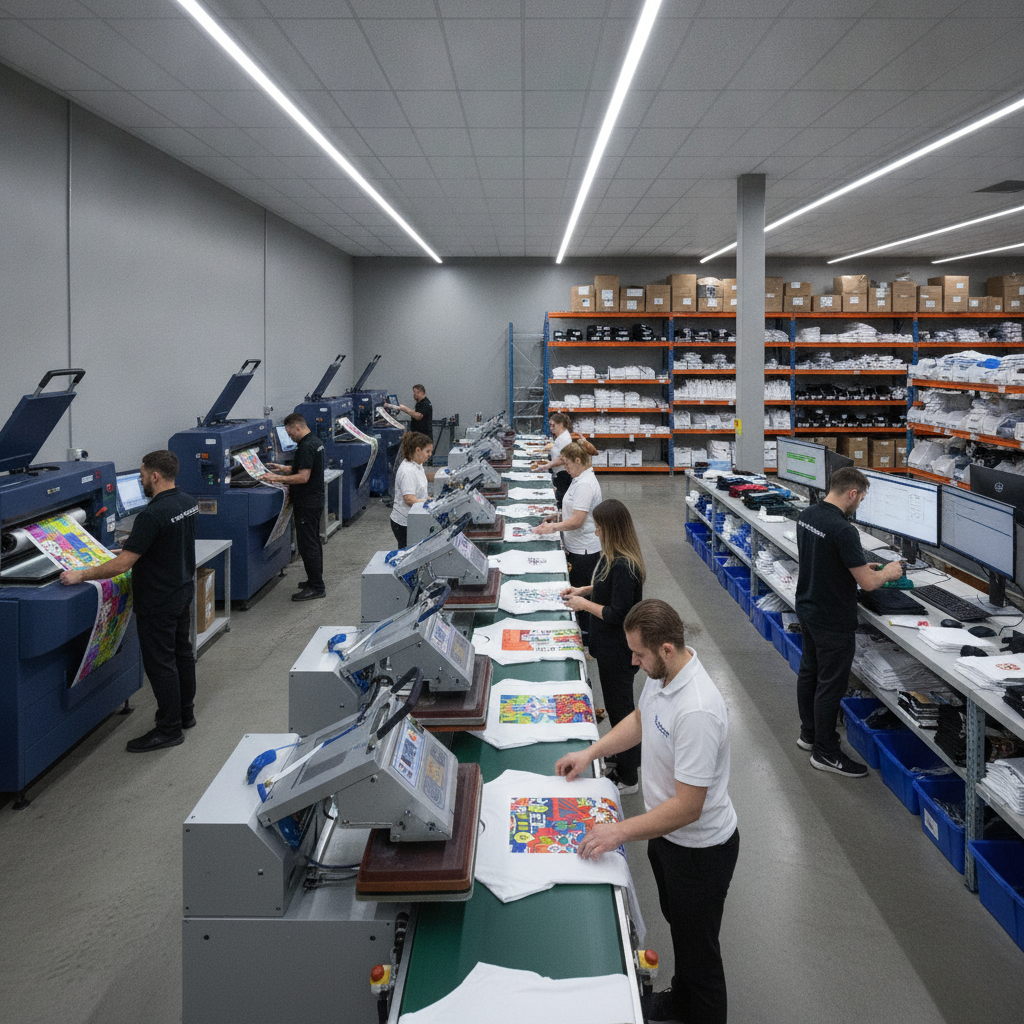
Sublimation rewards shops that treat it as a system, not a series of one-off jobs. The process is unforgiving in places — color drifts, ghosting, and pressure inconsistencies all trace back to small upstream decisions. The good news is that a tight, repeatable workflow removes most of that variability. This guide walks through how to build one, from print-ready file prep to dedicated routing and quality checks.
Why sublimation needs its own workflow
Sublimation behaves differently from DTF, DTG, or embroidery. It bonds dye into polyester fibers and polymer-coated blanks, so substrate compatibility, mirrored artwork, time-temperature-pressure settings, and color profiles all matter in ways other decoration methods don't. Trying to run sublimation through the same steps you use for other methods is where shops lose time and ruin blanks.
That's the case for keeping each decoration method in its own lane. Pythias Fulfillment Cloud uses dedicated production queues for DTF, DTG, embroidery, and sublimation, each with its own routing rules and print-ready file handling — so a sublimation order is never accidentally treated like a DTG order on the floor.
Step 1: Print-ready file prep
Most sublimation problems are file problems. Standardize what "print-ready" means before art ever reaches the printer.
- Resolution and sizing: Build artwork at full print size at a high resolution so nothing scales up at print time. Confirm the design fits the substrate's printable area with appropriate bleed.
- Color mode and profiles: Sublimation inks don't behave like screen RGB. Use a dedicated sublimation ICC profile for your printer-paper-ink combination, and soft-proof so the operator knows what to expect.
- Mirroring: Because the print transfers from paper to substrate, the file must be mirrored for most setups. Decide whether mirroring happens in the RIP or the source file and apply it consistently.
- Transparency and edges: Watch for stray pixels, soft edges that ghost, and white areas that should stay the blank's color. Sublimation can't print white, so the substrate provides it.
The single biggest win here is consistency. When every incoming file passes through the same prep checklist, your press settings become reliable instead of a guessing game.
Step 2: Centralize and route orders by method
If you sell on multiple channels, manual sorting of incoming orders is a hidden tax on your day. Every marketplace exports orders a little differently, and reconciling them by hand invites mistakes.
A better approach is to funnel everything into one queue and let routing rules separate the work. With Pythias, orders from every connected channel flow into one unified production queue, and tracking is confirmed back to each marketplace automatically. Pythias connects to 18+ marketplaces directly — including Amazon, Walmart, Target Plus, eBay, Etsy, TikTok Shop, Shopify, Wix, WooCommerce, Squarespace, and Faire — plus 200+ more channels through Mirakl and Acenda. You can review the full list on the integrations page.
Once orders are centralized, dedicated routing sends sublimation jobs to the sublimation queue with the right file handling already applied. That separation is what keeps a busy floor from cross-contaminating methods. If you also run other decoration, unified order management keeps all of it visible in one place.
Step 3: Batch by substrate and print run
Sublimation efficiency comes from batching. Grouping orders by blank type — apparel, mugs, hard panels, soft goods — lets you keep one press dialed in for a run rather than constantly changing settings.
- Group jobs that share the same substrate, press temperature, and dwell time.
- Stage printed transfers and blanks together so the pressing station isn't waiting on materials.
- Pull blanks against confirmed inventory so you don't start a batch you can't finish.
This is where stock visibility pays off. Pythias tracks real-time inventory by blank, color, and size, with low-stock and reorder alerts, so you catch a shortage before it stalls a batch instead of after. Dependable inventory management is what makes batching predictable.
Step 4: Press with documented settings
Write down your time, temperature, and pressure for every substrate and post them at the station. Sublimation is sensitive to all three, and ghosting usually means the transfer shifted, while faded color often means under-time or under-temp. Pre-press apparel to remove moisture, use heat-resistant tape to hold transfers in place, and protect your platen and product with appropriate paper. Document the winning combination once and you stop relitigating it on every shift.
Step 5: Quality checks before packing
Build inspection into the flow rather than treating it as an afterthought. A consistent checkpoint catches problems while they're cheap to fix.
- Color accuracy: Compare against the approved proof, not your memory.
- Placement and alignment: Confirm the design sits where the order specifies.
- Defects: Look for ghosting, banding, scorching, or uneven press marks.
- Substrate integrity: Check edges and coated surfaces for damage.
Match each finished item back to its order before it moves to shipping, so the right product reaches the right customer.
Step 6: Ship and confirm tracking
The last mile should be the easiest part. Pythias generates carrier shipping labels for USPS, FedEx, and UPS, and confirms tracking back to each marketplace automatically — so you're not logging into separate seller dashboards to paste tracking numbers one at a time. That closes the loop on every order without extra clicks.
Tying it together
An efficient sublimation workflow is mostly about removing decisions from the floor: standardized files, method-based routing, batching, documented press settings, and a fixed quality checkpoint. Pythias supports that with dedicated sublimation queues, unified orders, real-time inventory, and automatic tracking — on a flat monthly subscription with no per-order fees, with most shops fully live within about two weeks.
If you're scaling sublimation alongside other decoration methods, it's worth seeing how the pieces fit. Explore Pythias for print on demand, review pricing, or book a demo to see the production queue with your own channels connected.