

Printing’s Role in Employee Productivity: 2026 Guide
Printing infrastructure is a direct driver of employee productivity, defined by its ability to preserve cognitive momentum and maintain uninterrupted workflow across every department. The role of employee productivity printing goes well beyond hardware uptime. According to HP’s Workflow Wakeup research analyzed by Quocirca, 69% of IT leaders report productivity drops when printers fail. Managed print services (MPS) address this by automating device management, reducing failure rates, and protecting the deep focus states employees need to do their best work. For business leaders and HR professionals, understanding this connection is the first step toward treating print infrastructure as a workforce performance asset.
How does the role of employee productivity printing show up in daily work?
Printing disruptions cost far more than the minutes a device is offline. The real damage is cognitive. A 2-minute printer disruption can cost roughly 15 minutes of recovered deep focus time. That math compounds fast across a team of 50 people.
The industry term for this phenomenon is cognitive context switching. When an employee stops a task to troubleshoot a printer, their brain must abandon the current mental model, shift attention to a new problem, resolve it, and then rebuild the original context. That rebuild takes time, and it is rarely accounted for in standard productivity metrics.
The data on how printing affects employee output is striking:
- Only 18% of desk workers say printing works correctly on the first try. That means 82% of print attempts involve some form of friction.
- 30% of employees regain focus immediately after a tech interruption. Another 30% take six or more minutes to recover.
- 54% of users rate running out of ink a major inconvenience, and 42% waste time reformatting documents after print failures.
- 60% of IT leaders say printing requires more support time than appropriate, and 70% cite driver compatibility as a constant issue.
These numbers reveal a systemic problem. Print failures generate cascading costs: reprints, reformatting, IT tickets, and the invisible tax of lost concentration. None of these show up on a cost-per-page report.
Pro Tip: Track “first-try print success rate” as a KPI alongside uptime. A device that is technically online but fails 80% of first attempts is a productivity liability, not an asset.
The burden on IT is also significant. When print issues consume disproportionate support hours, skilled IT staff are pulled away from higher-value infrastructure work. That misallocation of talent is a secondary productivity cost that HR leaders rarely connect back to the printer fleet.

Can managed print services actually improve employee output?
Managed print services are the most direct solution for improving printing efficiency in workplaces at scale. MPS providers take over device monitoring, supply replenishment, driver management, and fault resolution, removing the burden from internal IT teams and end users alike.
Here is how a well-implemented MPS program improves workforce output, step by step:
- Automated supply replenishment. Toner and ink are ordered before they run out, eliminating the disruption that 54% of users identify as a major inconvenience. Employees never open a print dialog to find an empty cartridge warning.
- Predictive fault management. MPS platforms monitor device health in real time and flag issues before they cause failures. A drum unit approaching end of life gets replaced during off-hours, not during a deadline crunch.
- Standardized driver deployment. With 70% of IT leaders citing driver compatibility as a constant problem, centralized driver management eliminates version conflicts that cause silent print failures and formatting errors.
- Intelligent job routing. When one device is unavailable, jobs route automatically to the nearest capable printer. Employees do not wait, troubleshoot, or resubmit.
- Cloud and mobile print access. Employees print from any device, any location, without VPN dependencies or manual IP configuration. This is particularly valuable for hybrid workforces.
“Managed print services that focus on preventing interruptions enhance employees’ deep focus states, which are critical to productivity beyond mere time savings.” — Evolved Document Solutions
The business impact of MPS extends beyond IT cost reduction. When employees trust that printing works, they stop building workarounds, such as emailing documents to personal devices, using personal printers, or avoiding print-dependent workflows entirely. Those workarounds introduce security risks and process inconsistencies that compound over time.
For print shops and fulfillment operations, effective print queue management is equally critical. Production queues that stall or mismatch job priorities create the same cognitive and operational friction that office MPS programs are designed to prevent.
Does secure print release help or hurt productivity?
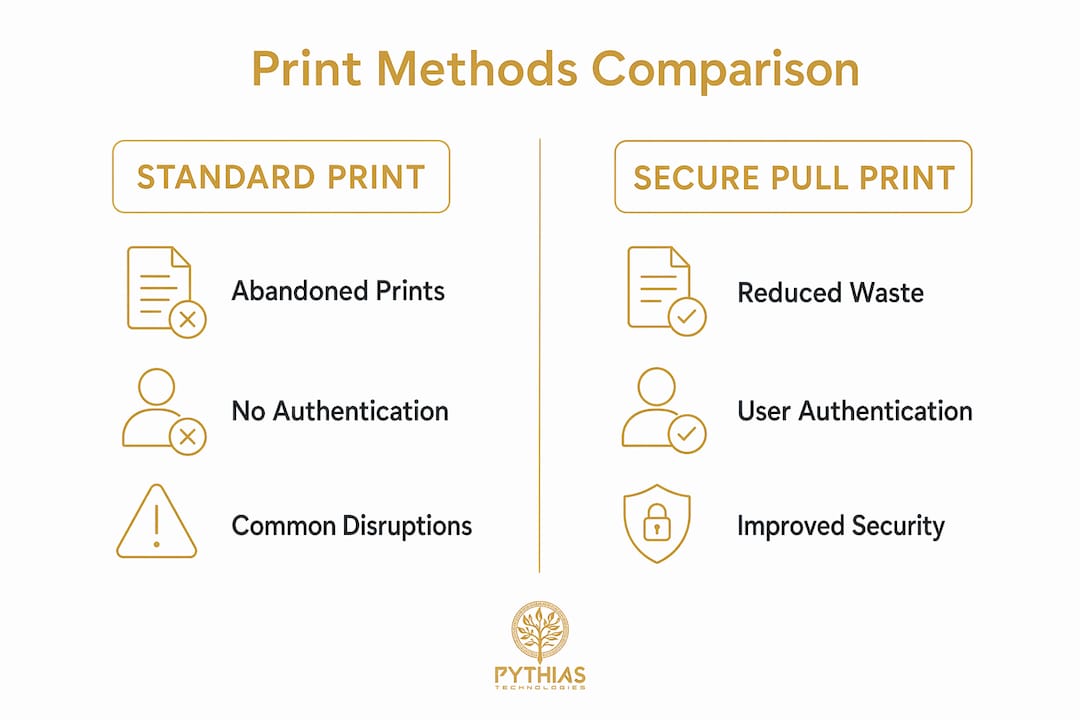
Secure print release, also called pull printing, holds a print job in a queue until the user authenticates at the device using a PIN, badge, or mobile ID. The productivity case for this technology is stronger than most leaders expect.
| Factor | Standard Print | Secure Pull Print |
|---|---|---|
| Abandoned prints | Common; jobs sit uncollected | Eliminated; jobs only print when user is present |
| Confidential exposure | High; documents left on tray | Minimal; user collects immediately |
| Reprint rate | Higher due to errors and wrong device | Lower; user confirms job before release |
| Authentication time | None | 12–27 seconds depending on method |
| Paper waste | Higher | Reduced by eliminating uncollected jobs |
The authentication overhead is real but manageable. Using Print Releaser, non-sensitive documents release in roughly 12 seconds with a PIN. Sensitive documents using second-factor authentication take about 27 seconds. That overhead is a reasonable trade for the waste and security exposure it prevents.
56% of organizations experienced a print-related security breach in 2025, with average losses exceeding $830,000. For mixed-vendor fleets, that figure rises to $1.2 million. Secure pull printing directly reduces the attack surface by preventing unattended documents from sitting exposed on output trays.
The productivity benefit of secure release is often framed as a security control, but it functions as a workflow improvement. Employees who must walk to the printer to release a job are less likely to send duplicate jobs, print the wrong version, or forget to collect their output. Secure pull printing reduces reprints, cuts paper waste, and limits the document handling errors that generate rework.
Pro Tip: Apply secure release selectively. Route standard, non-sensitive jobs to standard queues with no authentication. Reserve pull printing for HR documents, financial reports, and compliance materials. This keeps authentication friction proportional to actual risk.
What strategies help business leaders improve printing productivity?
Treating print infrastructure as a strategic productivity system, rather than a back-office utility, is the shift that separates high-performing organizations from those that absorb avoidable friction. Here are the strategies that deliver the most measurable impact on employee productivity improvement:
- Standardize your driver environment. Standardizing driver versions and automating updates reduces print failures and IT support demand substantially. A single outdated driver can cause formatting errors across an entire department.
- Measure first-try success, not just uptime. A printer with 99% uptime that fails on the first attempt 80% of the time is not a productive asset. Tracking first-try success rates and top error types focuses improvement efforts where they yield the most output gains.
- Align device capabilities to actual workflow needs. A department that regularly prints large-format graphics needs a device with that capability. Mismatched hardware forces workarounds that consume time and generate errors.
- Include print infrastructure in employee experience programs. HR leaders who conduct employee experience audits rarely ask about printing. Adding print reliability questions to pulse surveys surfaces friction that managers do not see in ticket data.
- Build ROI models that include recovered focus time. Cost-per-page calculations miss the largest cost of print failures. ROI modeling for print improvements should account for recovered focus time and the probability of rework, not just consumable costs.
- Partner with managed IT providers for fleet oversight. Organizations without internal print expertise benefit from managed IT services that include print fleet management as part of a broader infrastructure program.
For print shops and production environments, capacity planning is the operational equivalent of this strategic approach. Matching production capacity to order volume prevents the same kind of workflow stalls that office print failures create.
Key takeaways
Optimized printing infrastructure directly protects employee cognitive momentum, reduces IT burden, and improves workforce output by eliminating the hidden costs of print failures and rework.
| Point | Details |
|---|---|
| Cognitive cost exceeds downtime | A 2-minute print failure costs up to 15 minutes of recovered focus time per employee. |
| First-try success is the right metric | Only 18% of print attempts succeed on the first try; track this KPI to find real productivity gaps. |
| Managed print services reduce friction | MPS automates supply replenishment, driver updates, and fault management to prevent disruptions before they occur. |
| Secure pull printing cuts waste and risk | Pull printing eliminates abandoned jobs, reduces reprints, and limits confidential document exposure with 12–27 second authentication overhead. |
| Print strategy belongs in HR programs | Including print reliability in employee experience audits and productivity programs surfaces friction that standard IT metrics miss. |
Print infrastructure is the productivity variable leaders keep ignoring
I have spent years watching organizations invest heavily in collaboration software, ergonomic workstations, and employee wellness programs, while their printer fleet quietly drains hours from every workday. The frustration is not dramatic. Nobody files a complaint about a printer. They just work around it, and those workarounds become invisible habits that compound into real output losses.
The data from HP and Quocirca makes the case clearly. When only 18% of print attempts succeed on the first try, and 30% of employees take six or more minutes to regain focus after a tech interruption, the math is not subtle. A team of 20 people hitting print failures twice a day is losing hours of productive capacity every week. That cost never shows up in a budget line.
What I find most underappreciated is the cognitive dimension. Leaders think about print problems as downtime events. They are not. They are concentration events. Every time an employee stops to troubleshoot a printer, they are not just losing the two minutes it takes to fix the problem. They are losing the mental state they were in before the problem occurred. Rebuilding that state takes time that no one measures.
My recommendation to HR and operations leaders is direct: add print reliability to your employee experience program today. Ask employees how often printing works on the first try. Ask how much time they spend on print-related workarounds. The answers will surprise you, and the fixes are often straightforward. Driver standardization, managed print services, and selective secure release are not expensive interventions. They are high-return investments in the cognitive capacity of your workforce.
The future of workplace printing is moving toward AI-powered formatting assistance, predictive supply management, and tighter integration between print workflows and document management systems. Organizations that treat print infrastructure as a productivity control now will be better positioned to adopt those advances as they mature.
— Michael Thero
How pythias technologies supports print and fulfillment productivity
For print shops, DTF and DTG businesses, and fulfillment providers, the same principles that apply to office printing apply to production operations. Workflow stalls, queue errors, and manual processes drain output capacity just as reliably as a jammed office printer drains employee focus.
Pythias Technologies builds software that removes that friction at the production level. Pythias Fulfillment Cloud automates production scheduling, order management, barcode scanning, and shipping label generation, so your team spends time on production, not administration. Pythias Commerce Cloud connects your product catalog to Shopify, Etsy, Amazon, Walmart, TikTok Shop, and more from a single system. If you are ready to reduce manual labor and improve order accuracy across your print and fulfillment operation, explore print-on-demand automation from Pythias Technologies.
FAQ
What is the real cost of a printer failure at work?
A 2-minute printer disruption costs approximately 15 minutes of recovered deep focus time per employee. Across a team, those losses accumulate into significant weekly productivity gaps that standard downtime metrics do not capture.
How does managed print services improve employee productivity?
Managed print services automate supply replenishment, standardize drivers, and route jobs intelligently, preventing the failures that interrupt employee concentration. Organizations using MPS report fewer IT support escalations and higher first-try print success rates.
Is secure pull printing worth the authentication delay?
Yes. Authentication adds roughly 12–27 seconds per job, but secure pull printing eliminates abandoned prints, reduces reprints, and prevents confidential document exposure. The productivity and security gains outweigh the minor time overhead for most document workflows.
What kpis should HR track for printing productivity?
Track first-try print success rate, reprint rate, and average IT resolution time for print tickets. These metrics reveal the real user experience impact of your print infrastructure, which uptime statistics alone do not show.
How often do organizations experience print-related security breaches?
56% of organizations experienced a print-related security breach in 2025, with average losses exceeding $830,000. Secure release printing and fleet standardization are the two most effective controls for reducing this exposure.
Recommended
- The Role of Print Queue Management for Businesses | Pythias Technologies | Pythias Technologies
- Print on Demand Products: Top 10 for Entrepreneurs | Pythias Technologies | Pythias Technologies
- The Role of Print File Management for POD Businesses | Pythias Technologies
- How Production Reporting Works in Print Shops | Pythias Technologies