

Rush order management is the process of repositioning jobs ahead in the production queue and applying specialized scheduling strategies to compress lead times and meet urgent customer deadlines. In print-on-demand and garment printing, understanding how rush order management works separates shops that profit from urgent requests from those that let them create chaos. The distinction matters because rush order processing touches every layer of your operation: queue position, setup sequences, approval gates, and quality checkpoints. Get the system right, and rush orders become a reliable revenue stream.
How does rush order processing differ from expedited shipping?
Rush order processing compresses production, while expedited shipping compresses only carrier transit time. These are two separate levers, and confusing them is the most common mistake print shop managers make when quoting tight deadlines. A customer asking for a garment in 24 hours may need both levers pulled simultaneously, but each requires a different operational response.
Here is how the two concepts break down in practice:
| Factor | Rush order processing | Expedited shipping |
|---|---|---|
| What it affects | Queue position, setup time, production steps | Carrier transit time after production |
| Cost driver | Rush fee, overtime, changeover costs | Shipping premium paid to carrier |
| Who controls it | Your production team | Carrier (UPS, FedEx, USPS) |
| When it applies | Before the item ships | After production is complete |
Rush fees and shipping premiums are also distinct line items. Rush fees accelerate packing and production handling but do not affect how fast a carrier moves a package. A shop that charges only a shipping upgrade without repositioning the job in the queue will miss the deadline regardless of the carrier service selected. For tight in-hands dates, both actions are required.
- Identify whether the customer needs faster production, faster delivery, or both before quoting
- Apply a rush production fee when repositioning the job ahead of existing queue items
- Add an expedited shipping upgrade separately when transit time is the constraint
- Confirm cutoff times: many shops enforce a 12 PM ET weekday cutoff for same-day rush processing, with weekend orders handled the next business day
What are the best production rescheduling strategies for rush orders?
Strategic rescheduling is best practice for inserting rush jobs without damaging queue stability. Simply squeezing a rush DTF or embroidery job into an already-loaded schedule without a defined method creates cascading delays for every other customer. Production planners in garment and print environments rely on three proven techniques.
- Right-shifting: Move all jobs scheduled after the insertion point forward in time to create a slot for the rush order. This preserves the relative sequence of existing jobs and is the least disruptive method when capacity allows the shift.
- Gap insertion: Identify idle capacity pockets in the schedule, such as machine downtime between setups or shift transitions, and slot the rush job into that window. This method works well for short-run DTF prints or single-garment embroidery jobs that fit within a 30 to 60 minute gap.
- Splitting and interleaving: Divide a large existing batch into two segments and run the rush job between them. This reduces the number of full setup changeovers and keeps the production line moving. It works particularly well when the rush job uses the same ink or thread color as the surrounding batch.
- Predictive-reactive scheduling: Use historical data on job durations and machine performance to predict where gaps will appear, then reserve those slots for potential rush orders before they arrive. This shifts your shop from reactive firefighting to controlled agility.
Sophisticated rush order management also requires protecting short-term frozen zones: a defined window, typically the next two to four hours of production, where no rescheduling occurs. This protects operator trust and prevents the floor from operating in constant uncertainty. Jobs outside the frozen zone remain eligible for repositioning.
Pro Tip: Track your average gap duration across Brother GTX, DTF, and embroidery machines separately. Each machine type has a different setup profile, and knowing your real gap windows lets you quote rush turnarounds with confidence instead of guesswork.
How do approval gates affect rush order fulfillment?
Approval timing controls when production can start, and it is the most overlooked constraint in rush order workflows. Many shops advertise a four-hour turnaround but fail to account for the time a customer takes to approve a digital proof. If proof approval arrives two hours after order placement, the four-hour clock has not yet started.

Treating approval as a production step clarifies scheduling and improves the promises you make to customers. The approval gate, the file review, and the pretreatment check are all part of the production timeline, not separate from it. Collapsing these into one vague estimate is a primary cause of missed rush deadlines.
Key practices for managing approval gates in rush workflows:
- Set a hard file submission cutoff for rush orders, separate from the order placement cutoff
- Require payment and file approval simultaneously before the job enters the rush queue
- Flag jobs with pending approvals in your order management system so they do not block confirmed rush jobs behind them
- Assign a dedicated operator to monitor rush approval status in real time, not on a batch-check schedule
Quality risk in rush workflows arises from skipped inspections, poor handoff communication, and missing pretreatment steps. Dedicated marked sections on the production floor, where rush jobs are physically or digitally separated from standard work, reduce the chance of a rush garment mixing into a standard batch and losing its priority status.
Pro Tip: Create a physical “rush rack” or a dedicated digital queue label in your order management system. Visible urgent queues and experienced operator assignment are the two most effective controls against rework on time-sensitive jobs.
What technology tools improve rush order management efficiency?
Automation reduces manual errors and improves coordination across departments when rush orders arrive. Order management systems trigger immediate delivery and picking operations the moment a rush order is confirmed, eliminating the lag that occurs when staff manually relay priority changes between departments.
| Technology | Function in rush order workflow | Example platforms |
|---|---|---|
| Order management system (OMS) | Triggers picking, packing, and label generation instantly | Pythias Technologies, SAP |
| Advanced planning and scheduling (APS) | Simulates rescheduling impact before committing | Oracle, Nexelem-compatible tools |
| Digital queue management | Flags urgent jobs with priority indicators | Pythias Technologies production queue |
| ERP reservation engine | Automates order line prioritization by demand class | Oracle Cloud SCM |
Automated prioritization of order lines using attributes like shipment priority and demand class reduces manual firefighting. When a reservation fails, well-configured systems flag the exception for manual intervention rather than silently dropping the priority. This is the difference between a system that supports rush order management and one that simply records it.
Integrated digital workflows create virtual urgent queues that give rush jobs nonstop focus from intake to shipping. For print-on-demand shops connected to Amazon, Etsy, or Shopify, real-time order status visibility across all channels prevents a rush job from being buried under a high-volume standard batch. The role of print queue management in this context is not just organizational. It is a direct control on whether your shop meets its rush commitments consistently.
What are the real costs and risks of accepting rush orders?
A clear rush order policy is defined as delivery faster than your published lead time, with tiered pricing and capacity thresholds that protect profitability. Stop accepting rush orders when capacity exceeds 95% and scale prices with the speed requested. This is not a suggestion. It is the operational boundary that separates shops that grow through rush orders from those that burn out their teams on them.
The direct costs of rush order fulfillment include overtime labor, changeover costs when switching machine setups mid-batch, and the delayed revenue from standard jobs that get pushed back. Hidden costs include rework from skipped quality checks, customer service time spent managing expectations, and the long-term erosion of operator efficiency when the floor runs in constant reactive mode.
“Rush orders can cause schedule nervousness if schedules change too frequently, reducing operator trust and lowering efficiency.” — Nexelem
Frozen zones and controlled schedule changes maintain floor stability while integrating rush jobs. Without them, operators stop trusting the schedule and begin self-organizing, which introduces errors and inconsistency. Transparent communication with customers about realistic timelines, including the approval gate and any quality inspection steps, builds trust and reduces the volume of status inquiries that pull staff away from production. For capacity planning decisions, knowing your true rush capacity threshold is as important as knowing your standard throughput rate.
Key takeaways
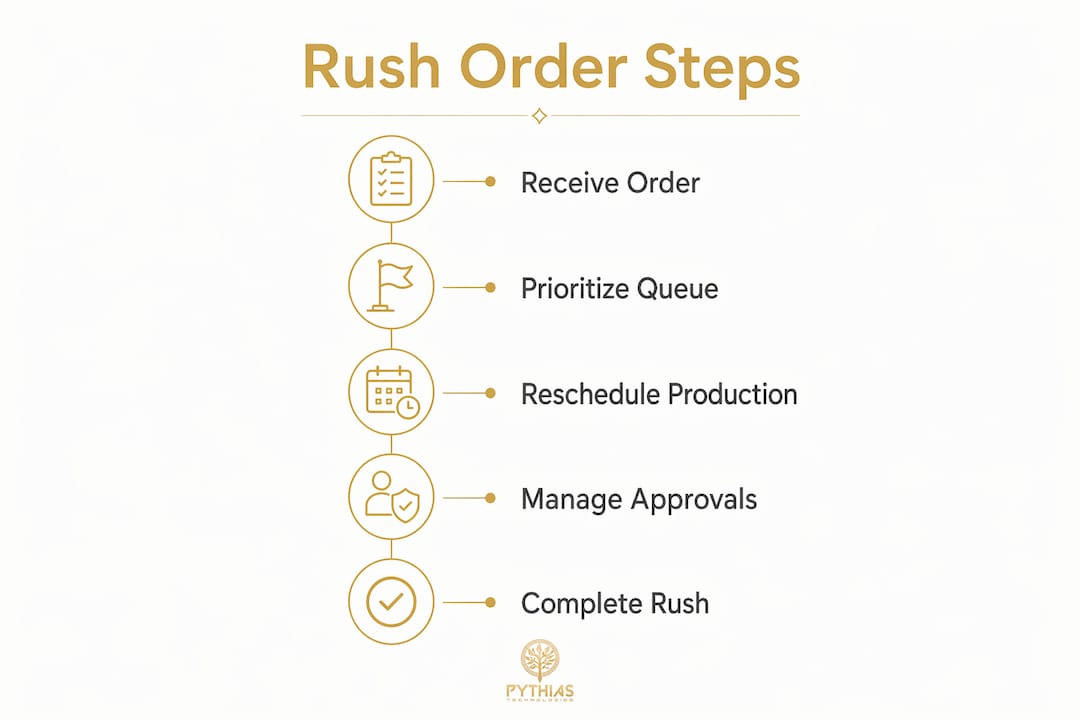
Rush order management works by combining production queue repositioning, structured rescheduling, approval gate control, and technology-driven prioritization to deliver urgent jobs without disrupting standard workflows.
| Point | Details |
|---|---|
| Rush vs. expedited shipping | Rush compresses production time; expedited shipping compresses transit time. Both are often needed for tight deadlines. |
| Rescheduling strategies | Right-shifting, gap insertion, and splitting/interleaving are the three proven methods for inserting rush jobs without cascading delays. |
| Approval gates matter | Proof approval and file review are production steps. Treat them as part of the timeline to make accurate rush promises. |
| Quality control under pressure | Dedicated rush queues and experienced operator assignment are the primary controls against rework on urgent jobs. |
| Policy and capacity thresholds | Define rush as faster than published lead time, apply tiered pricing, and stop accepting rush orders above 95% capacity. |
Why most print shops get rush orders wrong
I have worked with enough print-on-demand and garment printing operations to see the same pattern repeat. A rush order arrives, someone on the floor manually reshuffles the queue, the approval step gets skipped or rushed, and a garment ships with a print defect. The customer is unhappy despite paying a premium. The shop absorbs the rework cost. The operator is demoralized.
The fix is not working faster. It is building the system before the rush order arrives. That means a written policy, a defined capacity threshold, a physical or digital rush queue, and an order management platform that flags priority jobs automatically. Shops that invest in garment printer software with built-in queue prioritization stop treating rush orders as emergencies and start treating them as a premium service tier.
The other mistake I see consistently is quoting turnaround times without separating approval time from production time. A customer who takes three hours to approve a proof on a four-hour rush job is not getting a four-hour turnaround. Setting that expectation clearly at order placement eliminates most of the friction. It also protects your team from being blamed for a delay that originated with the customer.
Rush orders handled well are among the highest-margin jobs a print shop can take. The shops that master this process do not just survive urgent requests. They build a reputation for reliability under pressure, and that reputation compounds into repeat business.
— Michael
How Pythias Technologies handles rush order workflows

Pythias Technologies gives print-on-demand and garment printing businesses the tools to manage rush orders without manual firefighting. The production queue management platform flags priority jobs automatically, triggers picking and label generation the moment an order is confirmed, and provides real-time status visibility across Amazon, Etsy, and Shopify channels simultaneously. Pythias helps shops automate production and fulfillment so they can grow revenue and ship faster. If your shop is accepting rush orders without a system built to handle them, explore the Pythias Technologies platform to see how automated queue prioritization changes the economics of urgent fulfillment.
FAQ
What is a rush order in print-on-demand?
A rush order is any order requiring delivery faster than a shop’s published standard lead time. It is fulfilled by repositioning the job ahead in the production queue and applying accelerated scheduling techniques.
How does rush order processing differ from expedited shipping?
Rush order processing compresses production time by changing queue position and setup sequences. Expedited shipping compresses only carrier transit time after the item leaves your facility. Both are separate fees and separate operational actions.
What rescheduling methods work best for rush jobs?
Right-shifting, gap insertion, and splitting/interleaving are the three standard methods. Right-shifting is the least disruptive; gap insertion works for short-run jobs; splitting/interleaving suits same-color batches where changeover costs are low.
When should a print shop stop accepting rush orders?
Stop accepting rush orders above 95% capacity to protect schedule stability and quality. Accepting rush jobs beyond that threshold increases rework risk and erodes operator efficiency across all jobs in the queue.
How does technology improve rush order fulfillment?
Order management systems with priority flagging and automated picking triggers reduce the lag between order confirmation and production start. Platforms like Pythias Technologies provide real-time queue visibility and automated label generation, which are the two fastest points of manual delay in most rush workflows.
Recommended
- DTG Printing Order Management for Print Shops in 2026 | Pythias Technologies | Pythias Technologies
- Print Shop Capacity Planning: What Managers Must Know | Pythias Technologies
- The Role of Print Queue Management for Businesses | Pythias Technologies | Pythias Technologies
- Pythias Technologies — Print-on-Demand Automation Platform