

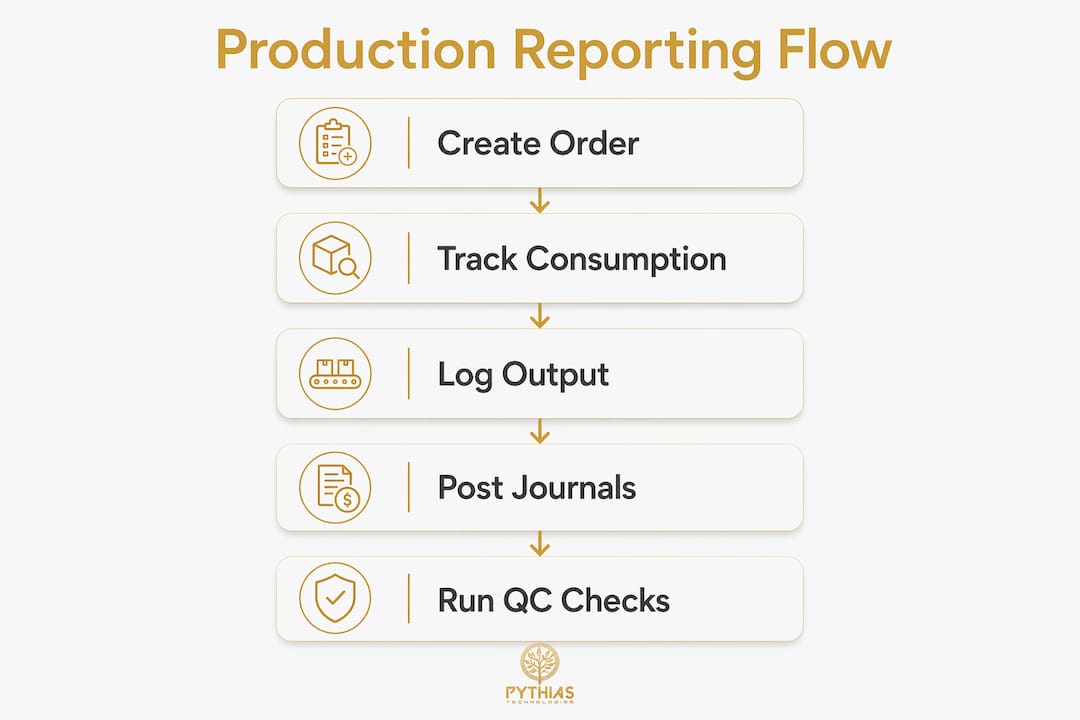
Production reporting in print shops is the systematic process of capturing material consumption, output quantities, and operational time through production orders and journals to enable accurate cost control and workflow management. Print shop managers who understand this process gain real-time visibility into every job moving through the floor, from raw substrate to finished product. Systems like Microsoft Dynamics 365 Business Central formalize this process using consumption journals, output journals, and unified production journals. The result is a direct connection between shop-floor activity and financial records, which makes job costing, inventory reconciliation, and scheduling far more reliable.
How production reporting works in print shops: orders and journals
Production orders are the backbone of the print shop reporting process. Each order routes a job through defined operations, assigns materials via a bill of materials, and sets the expected output quantity. Without a production order, there is no structured way to track what was consumed, what was produced, or how long each operation took.
Microsoft Dynamics 365 Business Central uses two primary journal types to capture this data:
- Consumption Journal: Records raw materials and components drawn from inventory for a specific production order. Each entry posts a negative item ledger entry, reducing stock on hand.
- Output Journal: Records finished or semi-finished goods produced. Each entry posts a positive item ledger entry, adding completed units to inventory.
- Production Journal: A unified interface that combines consumption, output, and capacity (labor and machine time) reporting in a single screen. This reduces data entry steps and keeps all reporting synchronized.
The financial impact is direct. Consumption posts negative item ledger entries, output posts positive entries, and time records as capacity entries. This means every shop-floor action automatically feeds into costing and inventory reconciliation without a separate accounting step.
Pro Tip: Set up your production journal as the default reporting interface for press operators. Combining consumption, output, and time in one screen cuts data entry time and reduces the risk of mismatched postings between separate journals.
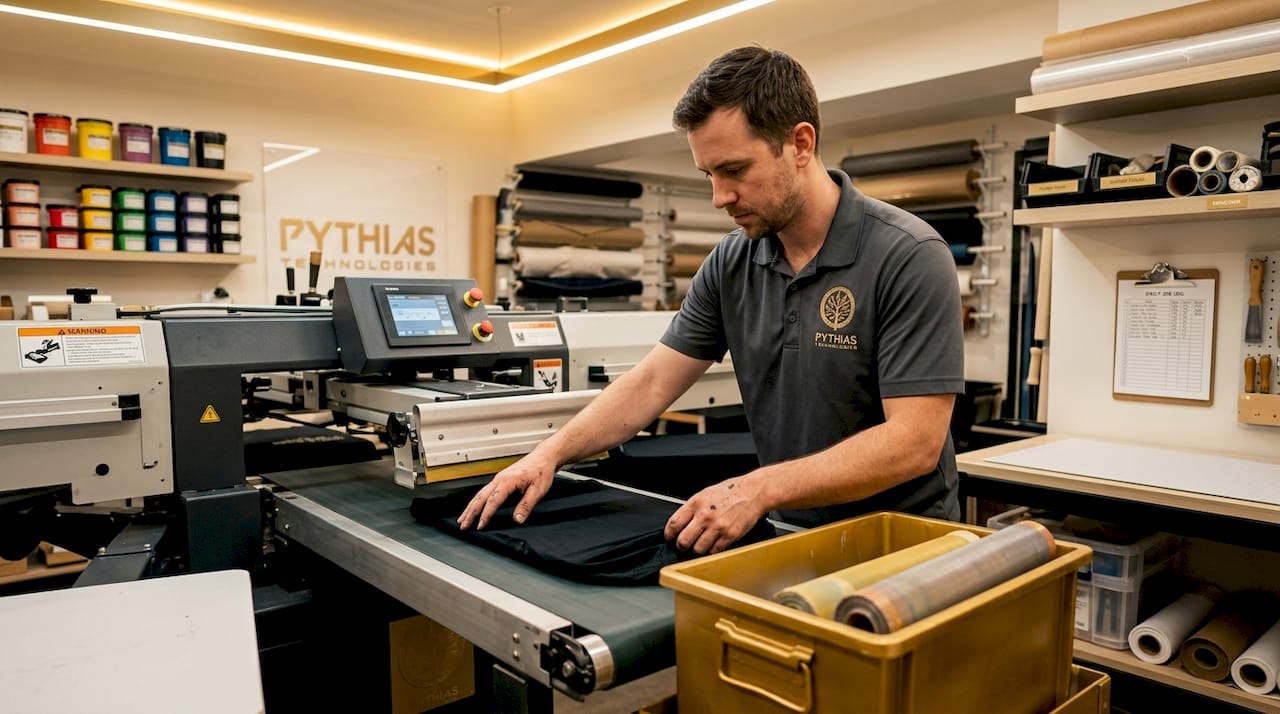
For print shops running DTF, screen printing, or embroidery operations, this structure maps cleanly onto physical workflows. A DTF run, for example, consumes film, ink, and adhesive powder (consumption), produces printed transfers (output), and logs press time (capacity). All three data points feed the production report automatically.
What are flushing methods and how do they affect accuracy?
Flushing is the method that determines when consumption and output are posted relative to the production order lifecycle. The choice of flushing method directly affects how accurate your real-time inventory and job costing data will be at any given moment.
Forward, backward, and manual flushing each serve different operational needs. Here is how they compare:
| Flushing method | When posting occurs | Best for | Trade-off |
|---|---|---|---|
| Manual | Operator enters data explicitly | High-value or variable materials | Most accurate, most labor-intensive |
| Forward | At production order release | Predictable, standard runs | Fast setup, but inventory drops before production starts |
| Backward | At output reporting or order completion | High-volume, repetitive jobs | Simplest entry, but WIP is invisible mid-run |
Manual flushing gives operators full control over what gets posted and when. This works well for specialty substrates or jobs where scrap rates vary significantly. Forward flushing posts consumption the moment an order is released, which means inventory reflects the draw immediately. Backward flushing waits until the job is complete or output is reported, which simplifies data entry but leaves a gap in real-time WIP visibility.
Routing link codes add a layer of precision by tying material consumption to specific routing operations rather than posting everything at once. For a print shop with distinct prepress, print, and finishing operations, this means ink consumption posts at the print step and laminate posts at the finishing step. The result is a more accurate WIP value at each stage of production.
One critical rule: never use negative postings to correct a mistake. Reverse output posting through the proper journal mechanism preserves audit trails and keeps lot or serial number tracking intact. Negative manual entries bypass these controls and create reconciliation problems that are difficult to trace.
How quality control reporting integrates with production tracking
Quality control reporting is not a separate function from production reporting. It is a layer of documentation that runs parallel to consumption and output tracking, capturing whether what was produced meets the required standard.
QC reports in prepress workflows require four core elements to be useful:
- Timestamps: Exact date and time of each check, tied to the production order
- Operator identification: Name or ID of the person who performed the check
- Issue documentation: Description of any defect, misalignment, color variance, or file error found
- Correction records: What action was taken, including file version numbers and screenshots where applicable
These elements make QC reports traceable. When a customer reports a color issue on a batch of 500 shirts, a traceable QC report tells you which operator ran the check, what the press settings were, and whether the issue was flagged and corrected or missed entirely. That level of detail supports both customer service responses and internal process improvement.
Pro Tip: Link QC checkpoints directly to production order milestones in your reporting system. When a QC check is tied to a specific routing operation, you can filter QC failures by job type, operator, or equipment, which turns quality data into a training and scheduling tool.
Comprehensive quality control reporting transforms quality management from a reactive process into a learning system. Print shops that review QC data weekly can identify recurring defect patterns tied to specific equipment, shift times, or material batches. This is how production metrics for printing move beyond simple output counts into genuine process intelligence.
What practical benefits come from effective production reporting?
Print shops that implement structured production reporting see measurable gains across operations, not just in accounting accuracy. ERP-integrated printing operations reduce material waste by 15 to 25% and cut job turnaround times by 20 to 30%. Those numbers reflect what happens when consumption data is captured accurately and used to inform purchasing and scheduling decisions.
The practical benefits break down into five areas:
- Inventory accuracy: Real-time consumption posting keeps stock levels current, which prevents over-ordering and stockouts. For a shop running multiple SKUs of blank garments, this directly reduces carrying costs.
- Job costing precision: Variance reporting captures the difference between estimated and actual material use, labor time, and scrap. Variance reporting tied to routing operations gives managers the cost driver data needed to reprice jobs or adjust production methods.
- WIP visibility: Knowing exactly how many units are in prepress, on press, and in finishing at any moment allows accurate delivery date commitments. This matters most during peak seasons when multiple large orders run simultaneously.
- Scheduling and resource planning: Output data from completed orders feeds directly into capacity planning. Understanding print shop capacity becomes far more reliable when historical output rates are captured per machine and operator.
- Accountability and traceability: Every posting is tied to a user, a time, and a production order. This creates an audit trail that supports both internal reviews and customer dispute resolution.
Real-time job status reporting extends these benefits to order fulfillment. When production reporting feeds live status updates to order management, customer service teams can answer delivery questions without interrupting the shop floor.
Key takeaways
Effective production reporting in print shops requires structured production orders, the right flushing method for each job type, and integrated quality control documentation to deliver accurate costing, inventory control, and traceability.
| Point | Details |
|---|---|
| Production orders are foundational | Every job needs a production order to track consumption, output, and time accurately. |
| Flushing method determines data timing | Choose manual, forward, or backward flushing based on job complexity and WIP visibility needs. |
| QC reports must be traceable | Timestamps, operator IDs, and correction records turn QC data into a continuous improvement tool. |
| ERP integration drives measurable gains | Integrated systems reduce material waste by 15 to 25% and cut turnaround times by 20 to 30%. |
| Routing link codes improve costing | Operation-level consumption posting gives more accurate WIP values than order-level posting alone. |
Why most print shops underuse their own reporting data
Most print shops I have worked with have the data. The production orders exist, the journals get posted, and the QC checks happen. What is missing is the discipline to close the loop between what the data says and what changes on the floor.
The most common failure point is misaligned routings. When the routing in the system does not match how the job actually moves through the shop, WIP quantities become inaccurate and finished goods counts drift from reality. Fixing this after the fact is painful. The better approach is to audit your routings before you go live with any reporting system, not after you notice the numbers are wrong.
My second observation is that shops tend to pick one flushing method and apply it universally. Backward flushing works well for a standard 100-unit T-shirt run. It does not work well for a custom embroidery job where thread consumption varies by design complexity. The right answer is a hybrid setup: backward flushing for standard catalog items, manual flushing for custom or high-value work.
The third issue is QC data sitting in a separate binder or spreadsheet, completely disconnected from production reporting. When quality events are not tied to production order numbers, you lose the ability to correlate defect rates with specific jobs, operators, or equipment. That correlation is where the real improvement opportunities live.
The shops that get the most from production reporting treat it as a management tool, not a compliance task. They review variance reports weekly, act on QC trends monthly, and use output history to set realistic capacity targets. That discipline is what separates shops that grow from shops that stay stuck managing the same problems year after year.
— Michael
How Pythias Technologies supports print shop production reporting

Pythias Technologies builds production reporting capabilities directly into its print-on-demand automation platform, connecting order intake, production queue management, and inventory tracking in one place. The platform integrates with major marketplaces including Amazon, Etsy, and Shopify, and supports equipment like Brother GTX printers, so production data flows automatically from order to fulfillment.
Key features relevant to production reporting include real-time inventory tracking, automated label generation, and batch processing tools that keep your production queue organized and visible. Pythias helps shops automate production and fulfillment so they can grow revenue and ship faster.
Explore the full production queue management tools or visit Pythias Technologies to see how the platform fits your shop’s reporting needs.
FAQ
What is production reporting in a print shop?
Production reporting is the process of recording material consumption, output quantities, and operational time against production orders to track job costs, inventory levels, and workflow status. It connects shop-floor activity directly to financial and inventory records.
What is the difference between forward and backward flushing?
Forward flushing posts material consumption when a production order is released, while backward flushing posts consumption when output is reported or the order is completed. Forward flushing updates inventory faster; backward flushing reduces data entry but limits real-time WIP visibility.
How do quality control reports connect to production reporting?
QC reports document checks, defects, and corrections tied to specific production orders, operators, and timestamps. When linked to production order milestones, this data supports traceability, auditing, and defect trend analysis across jobs and equipment.
What ERP tools do print shops use for production reporting?
Microsoft Dynamics 365 Business Central is widely used for print production reporting, offering consumption journals, output journals, and a unified Production Journal interface. These tools automate the connection between shop-floor data and accounting records.
How do I correct a posting error in production reporting?
Use the official reversal mechanism in your ERP system rather than entering a negative quantity manually. Proper reversals preserve audit trails and maintain data integrity for tracked items with lot or serial numbers.
Recommended
- Why Real-Time Job Status Matters for Print on Demand | Pythias Technologies
- Print Shop Capacity Planning: What Managers Must Know | Pythias Technologies
- The Role of Print Queue Management for Businesses | Pythias Technologies | Pythias Technologies
- DTG Printing Order Management for Print Shops in 2026 | Pythias Technologies | Pythias Technologies