
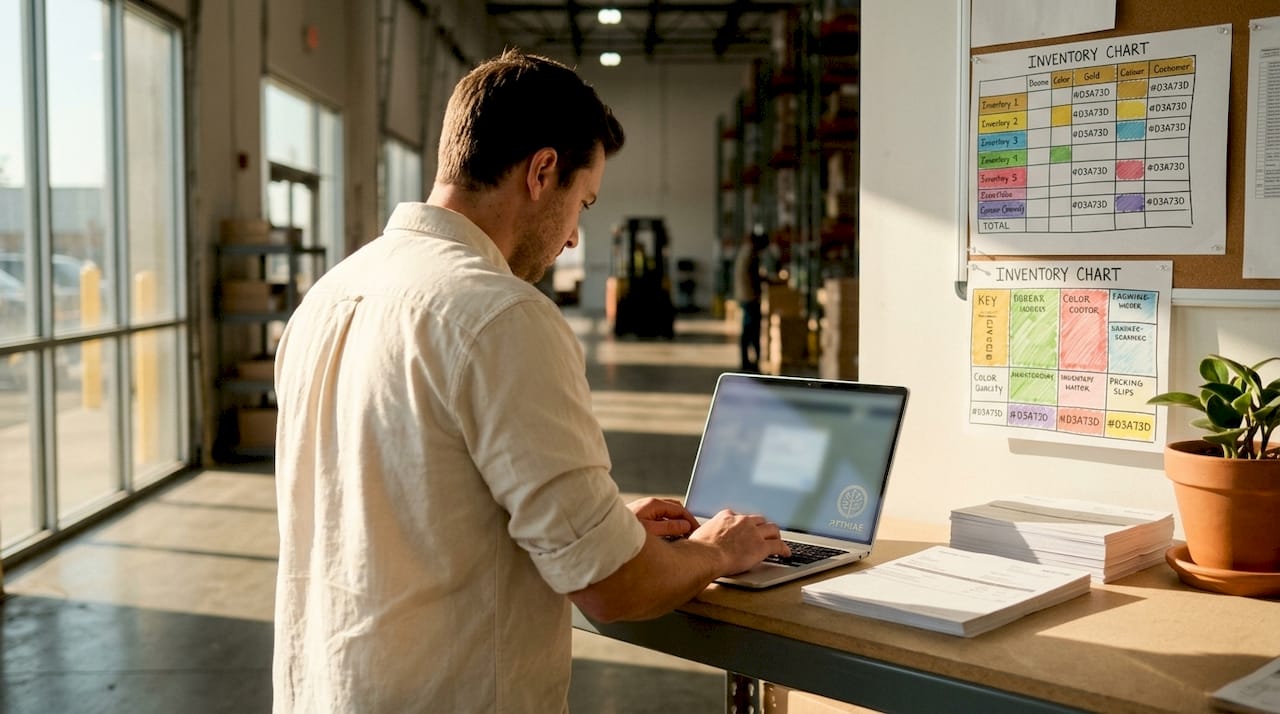
Automated shipping label generation is defined as the automatic creation of shipping labels and tracking numbers directly from order data, eliminating manual label creation entirely. Systems pull order details, apply carrier selection rules, and produce print-ready labels in seconds. Platforms like Pythias Fulfillment Cloud and ShipStation connect order management systems to carrier APIs, making label generation a hands-off step in your fulfillment workflow. For e-commerce operators and print shops managing high order volumes across Shopify, Etsy, Amazon, or TikTok Shop, this capability is the difference between scaling and stalling.
What is automated shipping label generation?
Automated shipping label generation is the process where labels and tracking numbers are created automatically from order data without manual input. The system reads order details, matches them to carrier rules, and outputs a print-ready label in seconds. This is the industry’s standard term for what many operators also call shipping label automation or label generation software.
The core mechanism is rule-based. When an order reaches a fulfillment-ready state, the system checks the ship-from address, ship-to address, package weight, dimensions, and selected shipping service. It then calls the carrier API, receives a label file, and posts the shipment record back to your order management system. No copy-paste. No manual carrier login. No data entry errors.

This differs from simply printing a label you created by hand. True automation means the entire process runs without a human touching each order individually. For a print shop running 500 DTF or DTG orders per day, that distinction is operationally significant.
How does the label generation workflow actually work?
The workflow follows a strict sequence, and each step depends on the previous one completing successfully. Address validation and rate shopping are sequential dependencies, not parallel tasks. Skipping or rushing either step causes downstream failures.
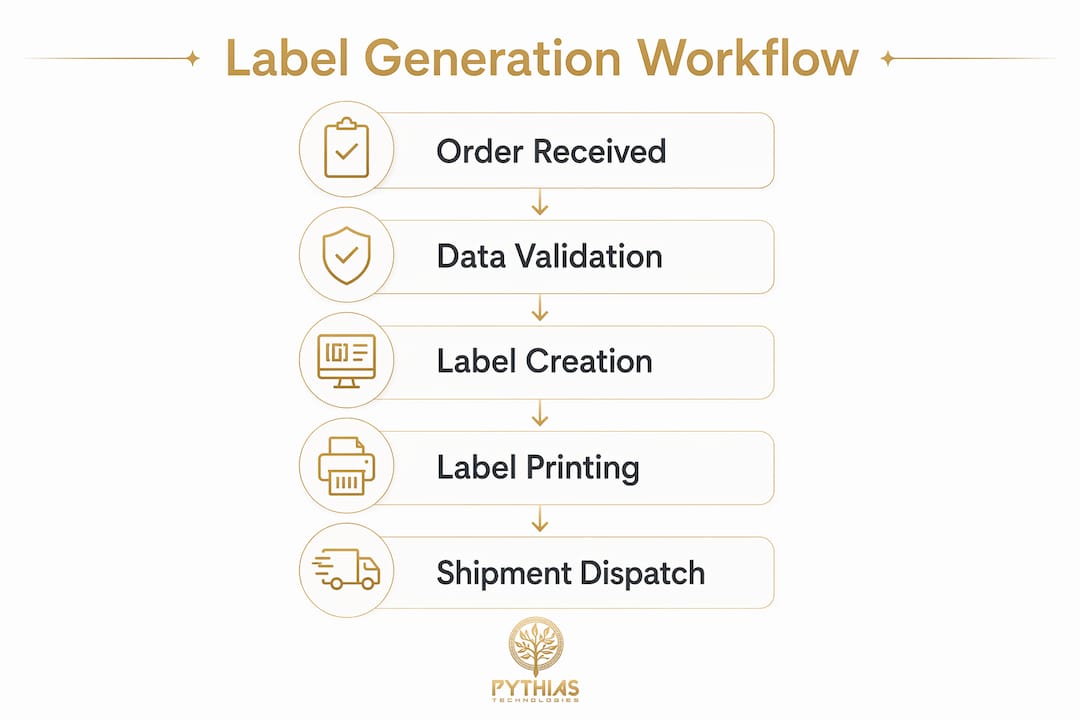
Here is the standard sequence for automated label generation:
- Order confirmation triggers the workflow. The fulfillment system detects that an order is ready to ship, either through a status change or a manual release.
- Address validation runs first. The system checks the ship-to address against carrier-compatible address databases. International workflows use geocode endpoints to confirm address accuracy before proceeding.
- Rate shopping executes. The system queries multiple carrier APIs simultaneously, compares rates, and selects the best option based on your pre-set rules (cost, speed, carrier preference).
- Carrier API call generates the label. The system sends package data including weight, dimensions, and service type to the carrier. The carrier returns a label file and a tracking number.
- Shipment posting updates records. The tracking number writes back to your order record, triggers customer notifications, and updates inventory or WMS records.
The essential data inputs for this process are ship-from and ship-to addresses, package weight and dimensions, and shipping service selection. Carriers charge based on actual versus dimensional weight, so inaccurate package data directly increases your shipping costs.
ERP and WMS platforms like ShipERP handle this entire sequence inside a single system. Pythias Fulfillment Cloud does the same for print shops and fulfillment providers, connecting production workflows directly to shipping so labels generate the moment an order clears production.
Pro Tip: Set up address normalization as part of your validation step. Carriers like UPS and FedEx reject non-standardized addresses, which stalls your entire batch. Normalizing addresses before the API call prevents the most common source of label generation failures.
How does label generation connect to printing and dispatch?
Label generation and label printing are two separate steps. Many operators conflate them, which causes configuration problems when setting up automated logistics management. Generation creates the label file. Printing outputs it to a physical label.
Label APIs return files in PDF or ZPL format, and your printer must be compatible with the format your system outputs. ZPL (Zebra Programming Language) is the standard for thermal label printers like Zebra ZT410 or Rollo X1038. PDF works with any printer but requires a print driver and is slower in high-volume environments. Choosing the wrong format creates a bottleneck at the printer queue.
Key operational points for the printing and dispatch stage:
- Batch printing accelerates warehouse throughput. Rather than printing one label per order, batch processing queues hundreds of labels and prints them in a single run. Batch printing produces 200 labels in 2 minutes compared to roughly 3 minutes per label manually. That is a throughput difference that compounds across every shift.
- Print events trigger dispatch status updates. Platforms like Shippit treat the label print action as the trigger for “ready to ship” status. This updates the order record, alerts the packing team, and schedules carrier pickup automatically.
- Printer placement matters in warehouse layout. Printers positioned at packing stations reduce travel time. For DTF and embroidery shops, placing label printers adjacent to the finishing station cuts the gap between production completion and shipment dispatch.
- Stamps.com and similar tools support direct print-to-label workflows for lower-volume operations, but they require manual order import unless connected to an API or marketplace integration.
Pro Tip: Configure your system to generate labels in ZPL for any operation printing more than 100 labels per day. ZPL renders faster, uses less memory, and is the format thermal printers are built to handle natively.
What are the real benefits of shipping label automation?
The benefits of shipping automation are measurable across speed, accuracy, cost, and customer experience. Each one compounds when you operate at scale.
| Benefit | Manual Process | Automated Process |
|---|---|---|
| Label creation speed | 3+ minutes per label | 200 labels in under 2 minutes |
| Address error rate | High (manual entry) | Near zero with validation |
| Carrier rate selection | Operator judgment | Rule-based rate shopping |
| Tracking notification | Manual or delayed | Automatic on label generation |
| Scalability | Limited by headcount | Scales with order volume |
Speed is the most immediate gain. Automated shipping reduces manual errors by integrating address validation and carrier selection into a single rule-based workflow. That consistency means your packing team spends time packing, not troubleshooting bad addresses or re-entering data.
Cost control comes from rate shopping. When your system automatically compares USPS, UPS, FedEx, and regional carriers on every order, you stop overpaying for shipping by default. For a print-on-demand business shipping 1,000 orders per week, even a $0.50 average savings per label adds up to $26,000 per year.
Customer experience improves because tracking numbers generate and send automatically. Buyers on Etsy, Amazon, and Shopify receive tracking updates without your team manually copying numbers into marketplace portals. This reduces “where is my order” support tickets significantly.
For POD operators and fulfillment providers, automated label generation also supports distributed fulfillment models. When orders route to different production partners based on location or capacity, each partner’s system generates its own labels without central coordination.
How do you choose and implement label generation software?
Selecting the right label generation software requires evaluating four core factors: carrier support, API flexibility, integration depth, and exception handling.
Carrier support determines which shipping options you can offer. Your platform must connect to the carriers your customers expect, including USPS, UPS, FedEx, DHL, and regional options. Verify that the platform supports the specific services you use, not just the carrier brand.
API flexibility matters if you run a custom OMS or WMS. Look for platforms that support both auto and manual label generation modes. Auto mode generates labels instantly on order confirmation. Manual mode holds labels for review before purchase, which is useful for high-value or exception-prone shipments.
Integration depth is where most implementations succeed or fail. Your label generation system must connect to your order source (Shopify, Etsy, Amazon, Walmart), your production workflow, and your inventory records. Pythias Fulfillment Cloud handles this natively for print shops, DTF businesses, embroidery companies, and fulfillment providers by connecting production scheduling, barcode scanning, and shipping label generation in one platform. Pythias Commerce Cloud adds multi-channel order sync across marketplaces so every order, regardless of source, feeds the same label generation queue.
Key implementation steps to follow:
- Test your address validation rules with a sample of known-bad addresses before going live.
- Configure dimensional weight rules to match each carrier’s formula exactly.
- Set up exception queues for orders with incomplete or unvalidatable addresses so they route to manual review rather than failing silently.
- Run a parallel test period where automated labels generate alongside your existing manual process to catch discrepancies before full cutover.
- Verify printer compatibility with your label format (PDF vs. ZPL) before committing to a printer model.
For Amazon FBA sellers, label requirements add another layer. Amazon sticker requirements specify exact label dimensions, barcode types, and placement rules. Your label generation system must support these specs or FBA receiving will reject your shipments.
The fulfillment vs. print shop distinction also affects your implementation. A fulfillment provider managing multiple client brands needs label generation that supports multi-client SKU structures and separate carrier accounts per client. A single-brand print shop has simpler requirements but still benefits from the same automation depth.
Key takeaways
Automated shipping label generation is the single highest-leverage automation a fulfillment operation can implement, because it eliminates manual data entry at the exact point where errors are most costly.
| Point | Details |
|---|---|
| Core definition | Label generation automatically creates labels and tracking numbers from order data without manual input. |
| Workflow sequence | Address validation, rate shopping, and carrier API calls must run in order for labels to generate correctly. |
| Format matters | ZPL is faster for high-volume thermal printing; PDF works for lower-volume or general-purpose printers. |
| Batch printing impact | Automated batch printing produces 200 labels in under 2 minutes versus 3 minutes per label manually. |
| Integration depth | Label generation software must connect to your OMS, WMS, carrier accounts, and marketplace channels to deliver full automation. |
Why automation depth separates scalable operations from stuck ones
I have watched e-commerce operators invest in label generation software and still spend hours per day on shipping exceptions. The tool was not the problem. The integration was. They had label generation running, but it was disconnected from their production queue. Labels generated before orders were actually ready to ship. Pickers were pulling orders that had no labels. Labels were printing for orders that were still in production. The automation created more confusion than it solved.
The operators who get this right treat label generation as one event in a connected workflow, not a standalone feature. When production completion triggers label generation, and label generation triggers dispatch status, and dispatch status triggers customer notification, the whole system runs without human coordination. That is the version worth building.
I also think the industry underestimates how much address validation matters at scale. A 1% address error rate sounds minor. At 10,000 orders per month, that is 100 failed deliveries, 100 customer service tickets, and 100 reshipping costs. Address validation is not a nice-to-have. It is the foundation the rest of the workflow sits on.
The future of this space is AI-enhanced routing, where systems predict the best carrier and service level based on historical delivery performance, not just current rates. Platforms like Pythias Fulfillment Cloud are building toward that model. Operators who get their basic automation right now will be positioned to adopt those capabilities without rebuilding from scratch.
— Michael Thero
Automate your shipping workflow with pythias technologies
Pythias Technologies builds the infrastructure that connects production, inventory, and shipping into a single automated workflow for print shops, DTF businesses, fulfillment providers, and multi-channel sellers.
Pythias Fulfillment Cloud automates shipping label generation, batch printing, carrier rate shopping, and order status updates from one platform. Pythias Commerce Cloud syncs orders from Shopify, Etsy, Amazon, Walmart, TikTok Shop, and eBay directly into your fulfillment queue. Every order, every channel, every label, handled automatically. If you run a print-on-demand fulfillment operation and still generate labels manually, the operational cost is higher than you think. See what full shipping automation looks like for your business.
FAQ
What is automated shipping label generation?
Automated shipping label generation is the automatic creation of shipping labels and tracking numbers from order data, triggered by fulfillment system events without manual input. Systems use carrier APIs, address validation, and rate shopping to produce labels in seconds.
How does label generation differ from label printing?
Label generation creates the digital label file (PDF or ZPL). Label printing is the separate step that outputs that file to a physical label on a thermal or standard printer.
What data is required to generate a shipping label automatically?
The required inputs are ship-from address, ship-to address, package weight, package dimensions, and shipping service selection. Inaccurate weight or dimensions cause carriers to charge adjustment fees after delivery.
Can automated label generation handle exceptions like bad addresses?
Yes. API-driven systems support both auto and manual generation modes. Orders with invalid or incomplete addresses route to a manual review queue rather than failing the entire batch.
How does pythias fulfillment cloud support label generation?
Pythias Fulfillment Cloud connects production workflows, barcode scanning, inventory tracking, and carrier integrations into one platform, triggering label generation automatically when orders complete production.
Recommended
- The Role of Automated Shipping Manifests in 2026 | Pythias Technologies | Pythias Technologies
- Optimize Your Garment Printing Shipping Workflow | Pythias Technologies | Pythias Technologies
- Label & Barcode Printing for Print Shops | Pythias Technologies | Pythias Technologies
- POD Order Tracking Automation: A 2026 How-To Guide | Pythias Technologies